My Next: Todo
Weekly plans. Daily focus.
A calm, personal task manager that helps you think clearly about what you want to do, plan realistically, and execute without pressure. Inspired by professional tools, redesigned for your life.
Available in English and Swedish. Need help? Contact [email protected]
Designed for how you actually live
Not another work tool disguised as a personal app. My Next: Todo gives you the structure of professional planning without the pressure.
Plan your week
Weekly Routine lets you define your typical week once. New week plans are generated automatically, populated with your recurring tasks. No manual copying, no setup every Monday.
Live your day
My Todos gives you a focused daily view. See only what matters today, sorted by time. Swipe to complete, swipe to skip. No clutter, no overwhelm.
Skip without guilt
Life happens. Skip any todo with a single swipe. No overdue shaming, no guilt counters. At week's end, decide whether unfinished tasks roll over or quietly disappear — your call, either way.
Private by default
No account or email address required — just download and start. Your data lives on your device. No tracking, no ads. Works on planes, in basements, anywhere.
See it in action
Clean, calm, and focused on your content.
My Todos
Your focused daily view. See what matters today.
My Plans
Organize todos into Plans. List or planning view.
Weekly Routine
Define your typical week. Auto-generates week plans.
Everything you need, nothing you don't
Powerful enough for weekly planning, simple enough for daily use.
Planning
- Weekly Routine — define your typical week once
- My Week plans auto-generated from your routine
- Repeating Todos for monthly, yearly, or custom cycles
- Someday view for unplanned ideas
- Drag-and-drop planning view
Execution
- Focused daily view sorted by time
- Swipe to complete or skip
- Grace period with easy undo
- Day picker — today, tomorrow, or any date
- Time-of-day greeting that updates naturally
Notifications
- Time-based reminders from the lock screen
- Complete, Skip, or Snooze directly from the notification
- Advance Reminder — get notified before a todo is due
- Persistent Reminder — repeats until you act
Data & Privacy
- No account or email required — just install and go
- Works offline — no internet needed
- All data stored locally on your device
- Sync planned as opt-in — your data stays local unless you choose otherwise
- Backup and restore to JSON
- No tracking, no ads
- Soft delete with recovery from Deleted Items
- Available in English and Swedish
- Light and dark mode
User guide
Step-by-step walkthroughs for the most common workflows.
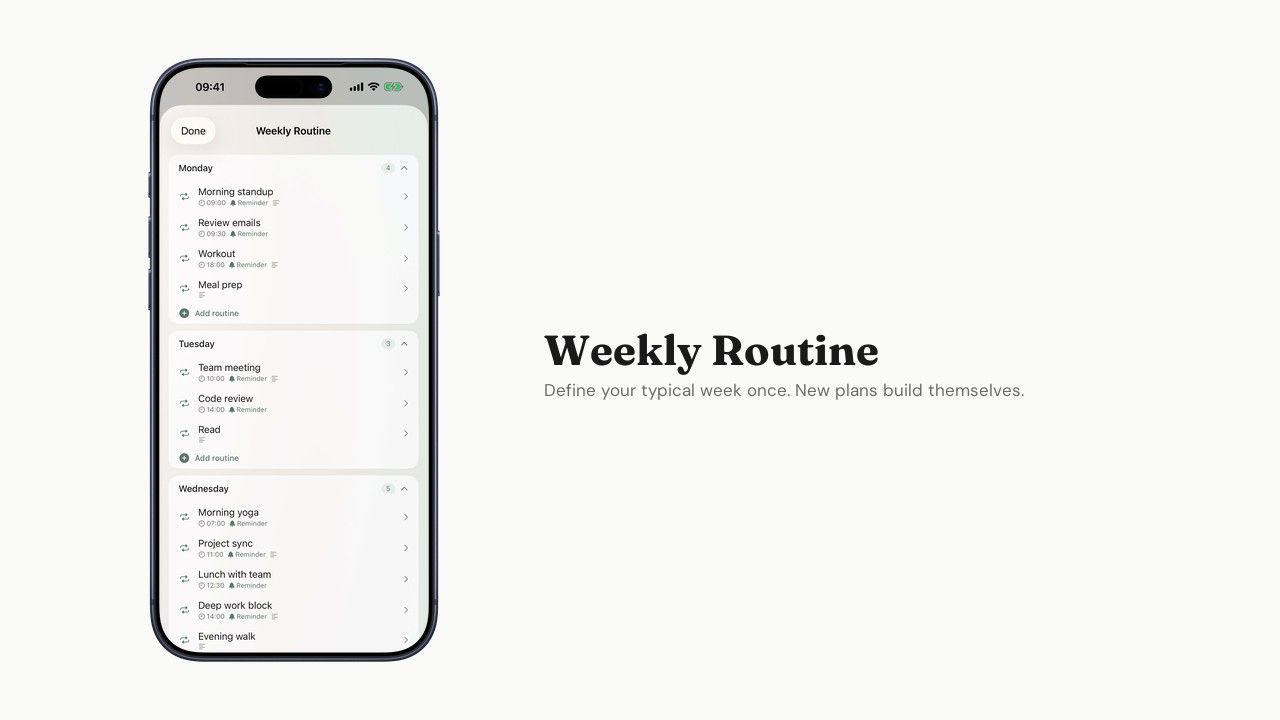
Setting up your Weekly Routine
Define your typical week so new week plans create themselves.
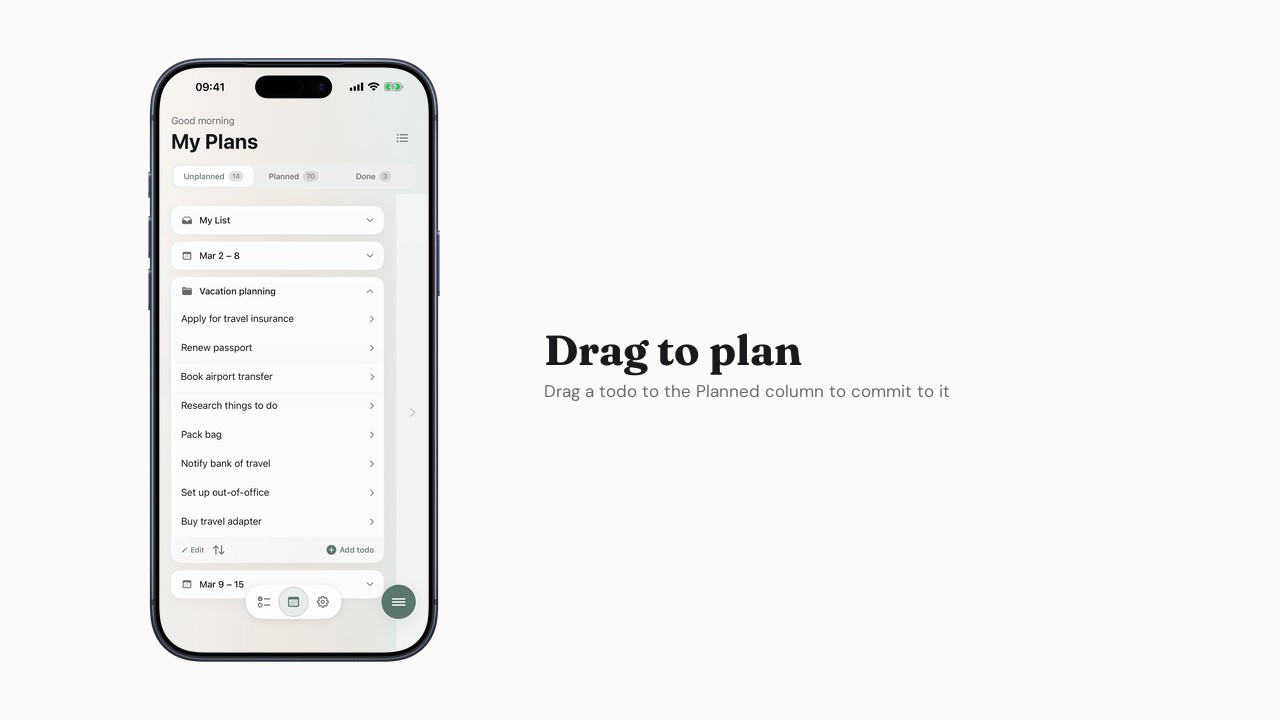
Planning your week
Use My Plans to organize todos across your week plans.
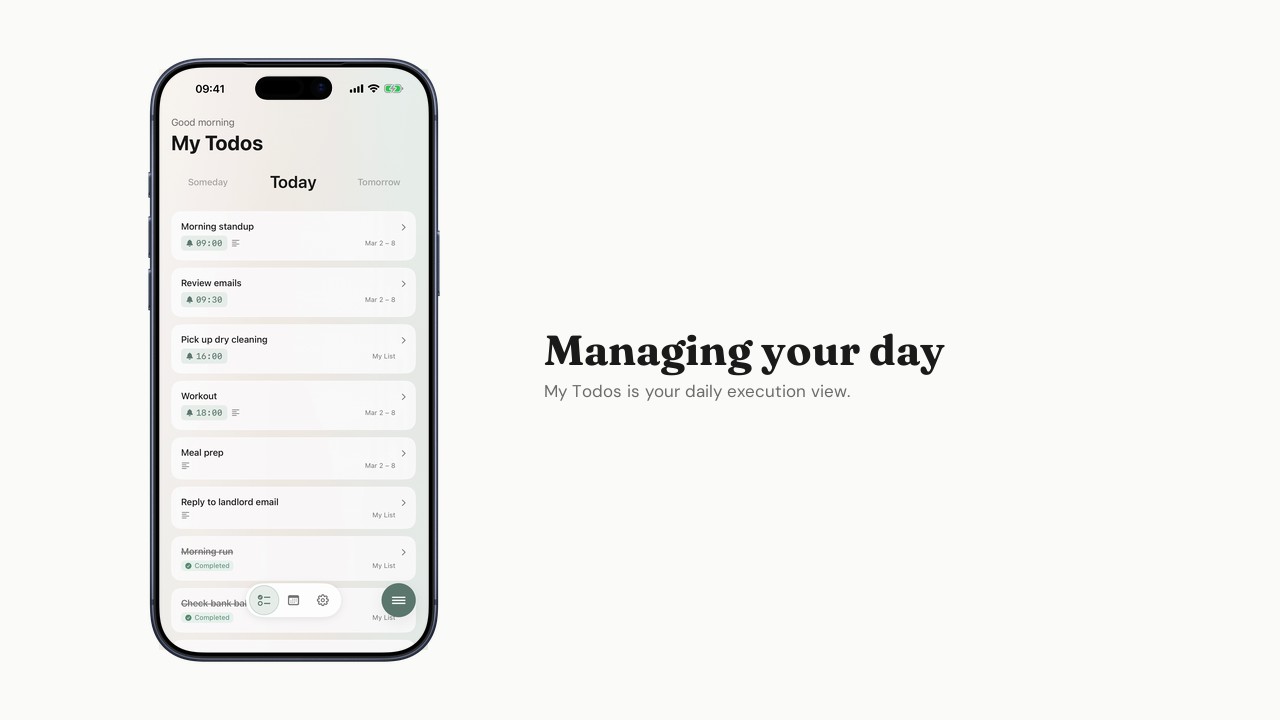
Managing your day
How to use My Todos for focused daily execution.
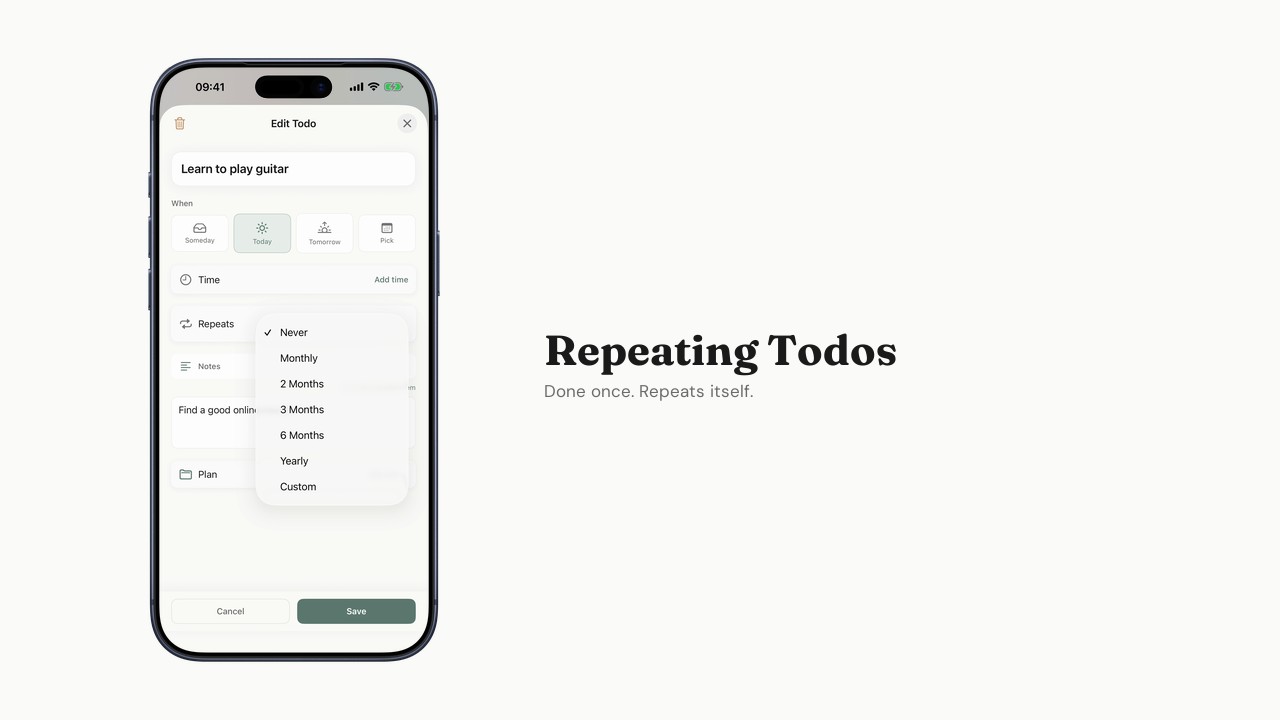
Using Repeating Todos
Set up monthly, yearly, or custom recurring tasks.
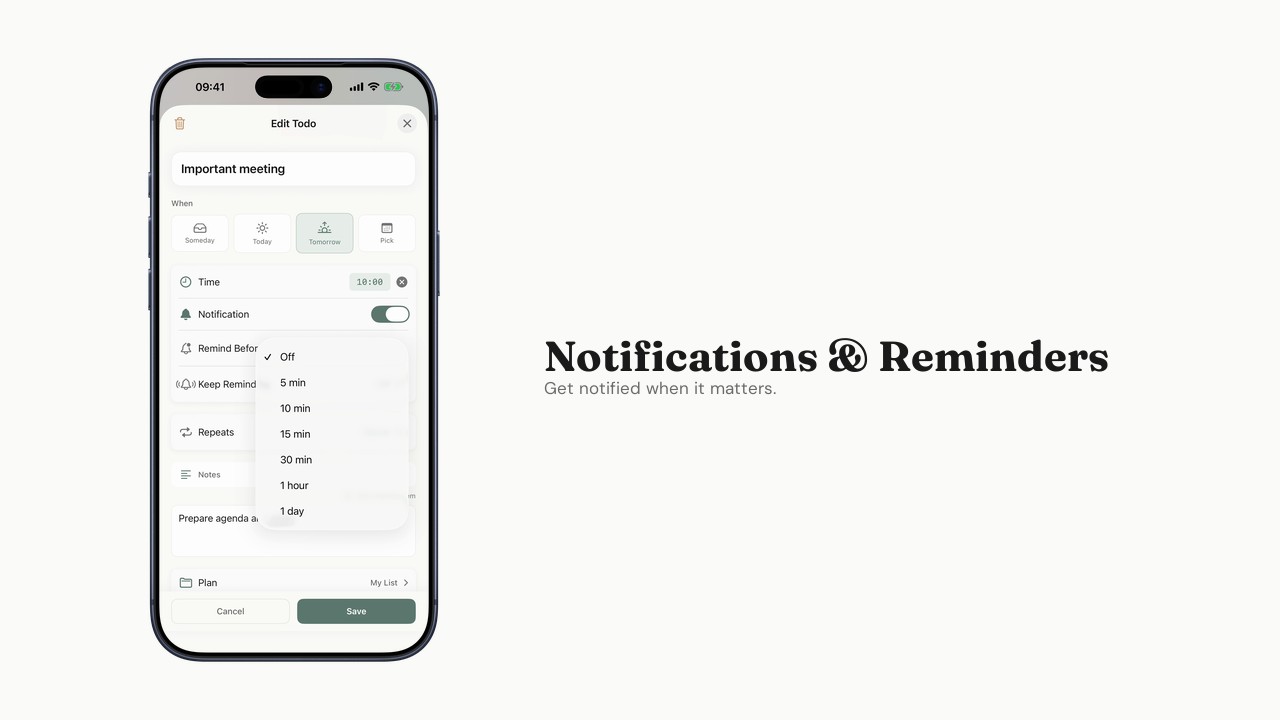
Notifications and reminders
Configure alerts, advance reminders, and persistent reminders.
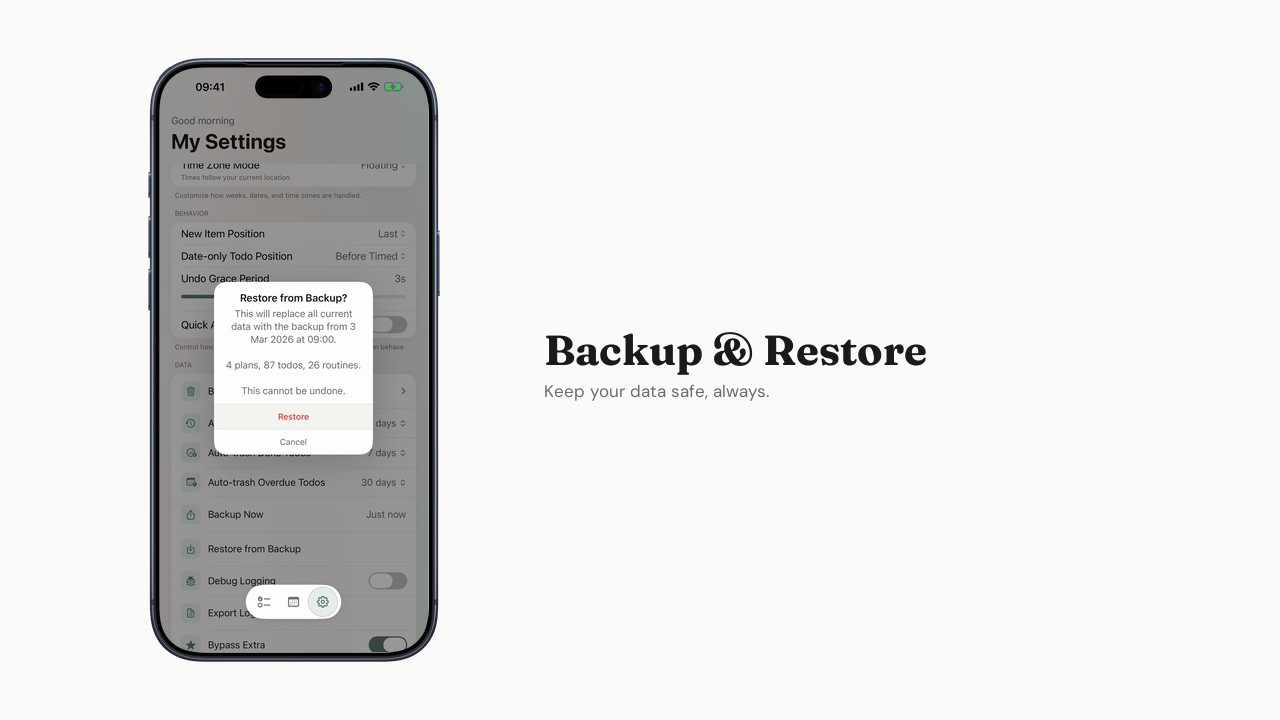
Backup and restore
Export your data and restore from a backup.
Generous free tier
Everything you need to plan your week is free. Extra unlocks more when you're ready.
Free
$0
Forever. No trial, no catch.
- My List + up to 2 custom Plans
- Up to 2 auto-generated weeks
- Up to 5 Repeating Todos
- Weekly Routine
- Time-based notifications
- Backup/restore
- Full offline support
Extra
$1.99/month
When you need more room.
- Everything in Free, plus:
- Unlimited Plans
- Up to 4 auto-generated weeks
- Unlimited Repeating Todos
- Advance Reminder
- Persistent Reminder
- Planning View