My Next: Todo
Weekly plans. Daily focus.
A calm, personal task manager that helps you think clearly about what you want to do, plan realistically, and execute without pressure. Inspired by professional tools, redesigned for your life.
Available in 20 languages. Need help? Contact [email protected]
New in version 1.3.0
Wake up to your plan
Your wake-up time belongs beside the day you are planning. Set an alarm for tomorrow, or give each weekday its own time in Weekly Routine. Add a bedtime reminder based on your desired sleep and wind-down time, without needing an Apple Watch.
- Choose a calm, lively, or nature-inspired melody. Preview it before saving, with optional gradual volume increase and snooze.
- Prefer no sound? Choose Haptic Alarm, subject to your device settings, or a Silent notification without snooze.
- Hold early Todo notifications through sleep and snooze. They are released when you stop the alarm — or at the scheduled time for Silent.
- Keep your alarm and bedtime reminder together in backup and restore. All alarm options are available free, with up to 3 active alarm days; Extra removes that limit.
New in version 1.3.1
Your day, on your wrist
Review missed, today, and visible upcoming todos, open details, complete or skip, and use Quick Add without reaching for your phone. The Watch app also keeps your next Wake Alarm summary in view. Alarms are still configured and controlled on iPhone.
- Create a simple todo for Today, Tomorrow, or Someday, with an optional time and plain-text description.
- Keep working offline. Changes are queued on Watch and transfer when the paired devices reconnect.
- Choose from two complications: a dedicated Todo view and the My Next app switcher for Todo, List, and Note.
- Show or hide List and Note in Manage My Next; the apps do not all need to be installed.
Designed for how you actually live
Not another work tool disguised as a personal app. My Next: Todo gives you the structure of professional planning without the pressure.
Plan your week
Weekly Routine lets you define your typical week once. New week plans are generated automatically, populated with your recurring tasks. No manual copying, no setup every Monday.
Live your day
My Todos gives you a focused daily view. See only what matters today, sorted by time. Swipe to complete, swipe to skip. No clutter, no overwhelm.
Skip without guilt
Life happens. Skip any todo with a single swipe. No overdue shaming, no guilt counters. At week's end, decide whether unfinished tasks roll over or quietly disappear — your call, either way.
Private by default
No account or email address required — just download and start. Your todos stay on your device. No ads, no advertising tracking. The app sends limited anonymous usage analytics to help improve My Next, and you can turn this off completely in Settings. Works on planes, in basements, anywhere.
See it in action
Clean, calm, and focused on your content.
My Todos
Your focused daily view. See what matters today.
My Plans
Organize todos into Plans. List or planning view.
Weekly Routine
Define your typical week. Auto-generates week plans.
Everything you need, nothing you don't
Powerful enough for weekly planning, simple enough for daily use.
Planning
- Weekly Routine — define your typical week once
- My Week plans auto-generated from your routine
- Repeating Todos for monthly, yearly, or custom cycles
- Someday view for unplanned ideas
- Drag-and-drop planning view
Execution
- Focused daily view sorted by time
- Swipe to complete or skip
- Grace period with easy undo
- Day picker — today, tomorrow, or any date
- Time-of-day greeting that updates naturally
Notifications
- Time-based reminders from the lock screen
- Complete, Skip, or Snooze directly from the notification
- Advance Reminder — get notified before a todo is due
- Persistent Reminder — repeats until you act
Data & Privacy
- No account or email required — just install and go
- Works offline — no internet needed
- All your todos and plans stored locally on your device
- Sync planned as opt-in — your content stays local unless you choose otherwise
- Backup and restore to JSON
- No ads, no advertising tracking
- Anonymous usage analytics — off with one switch in Settings
- Extra subscriptions handled by RevenueCat under a random customer ID — Apple processes payments
- Recover deleted todos from the Bin; deleted alarms are permanent
- Available in 20 languages
- Light and dark mode
User guide
Step-by-step walkthroughs for the most common workflows.
Getting started on Apple Watch
Install Todo on Apple Watch, then open Todo on your iPhone to complete the first sync. The Watch app shows missed, today, and visible upcoming todos plus the next Wake Alarm summary.
Tap a todo for its description, date, time, plan, and actions. Use the green plus button for Quick Add: enter a title, choose Today, Tomorrow, or Someday, and optionally add a time or plain-text description. Repeats, links, and full editing stay on iPhone.
Actions and new todos are queued locally when the devices are disconnected and transfer after they reconnect. A Tomorrow todo is visible immediately because Quick Add sets Show from to today.
Todo includes a dedicated Todo complication and the My Next app switcher. The switcher can open Todo, List, or Note; use Manage My Next in the Watch app to show or hide the List and Note choices if those apps are not installed.
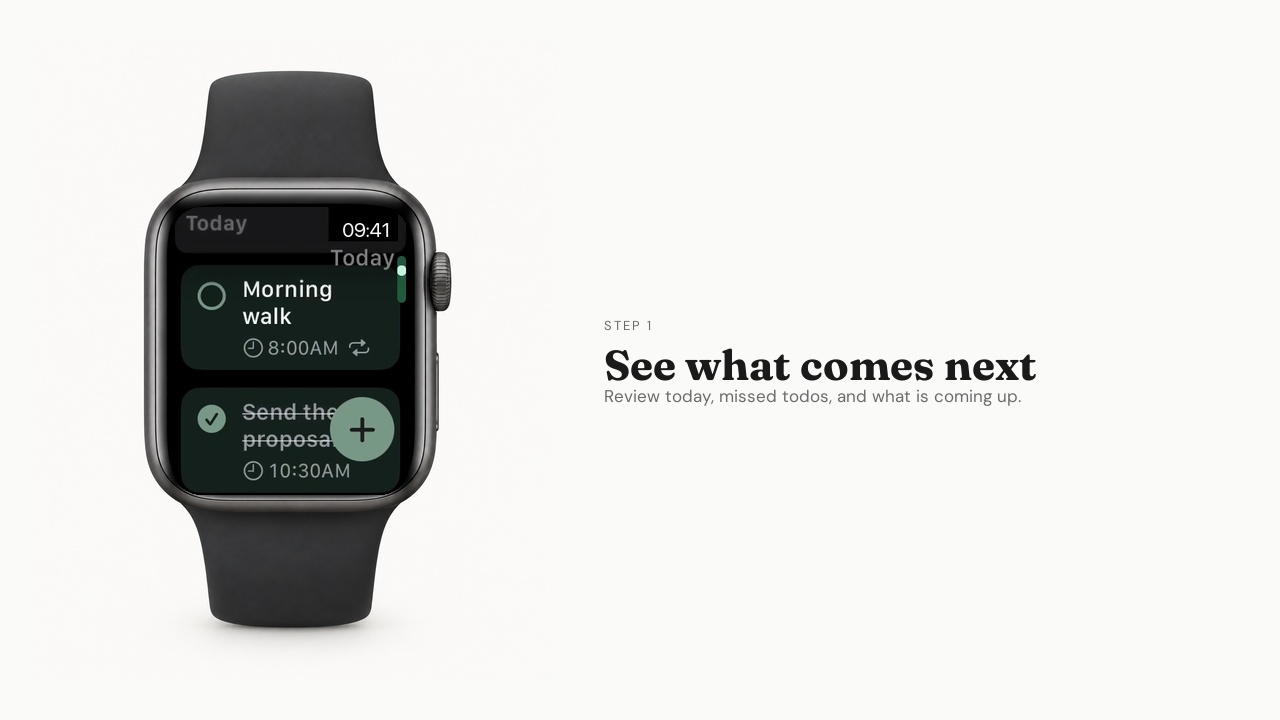
Using Todo on Apple Watch
Review your day, open a todo, and keep your next wake-up in view.
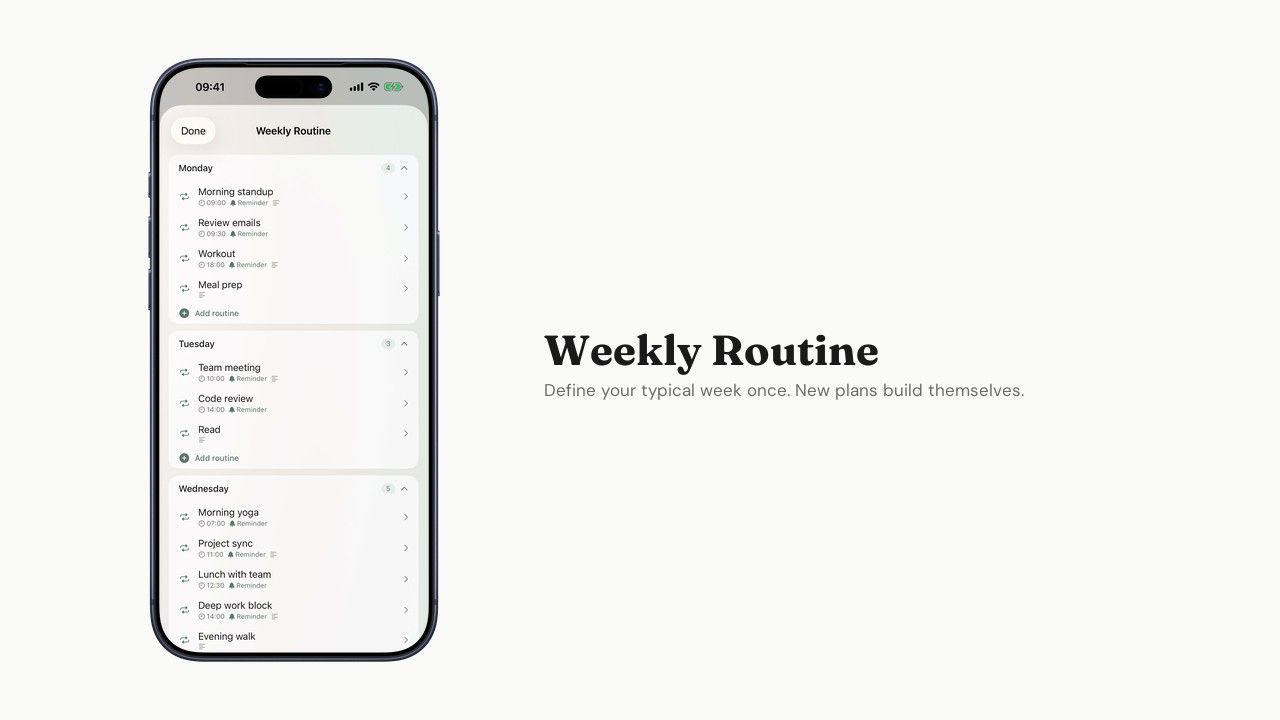
Setting up your Weekly Routine
Define your typical week so new week plans create themselves.
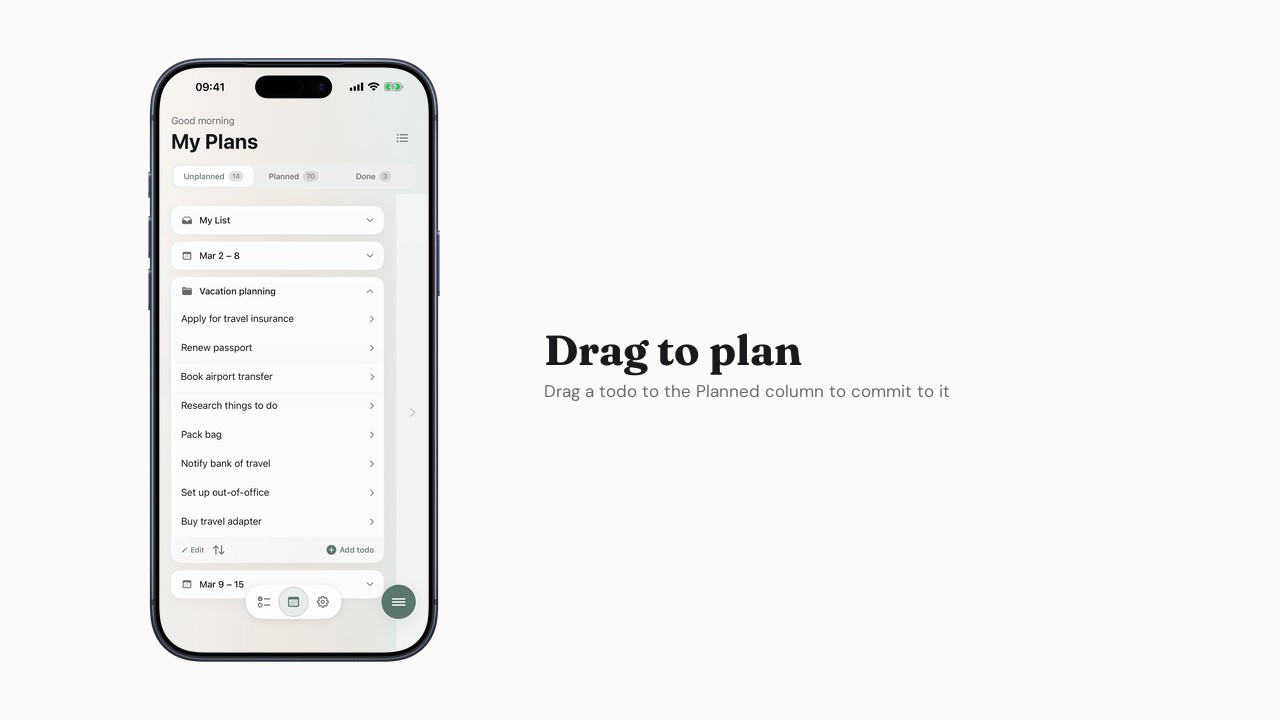
Planning your week
Use My Plans to organize todos across your week plans.
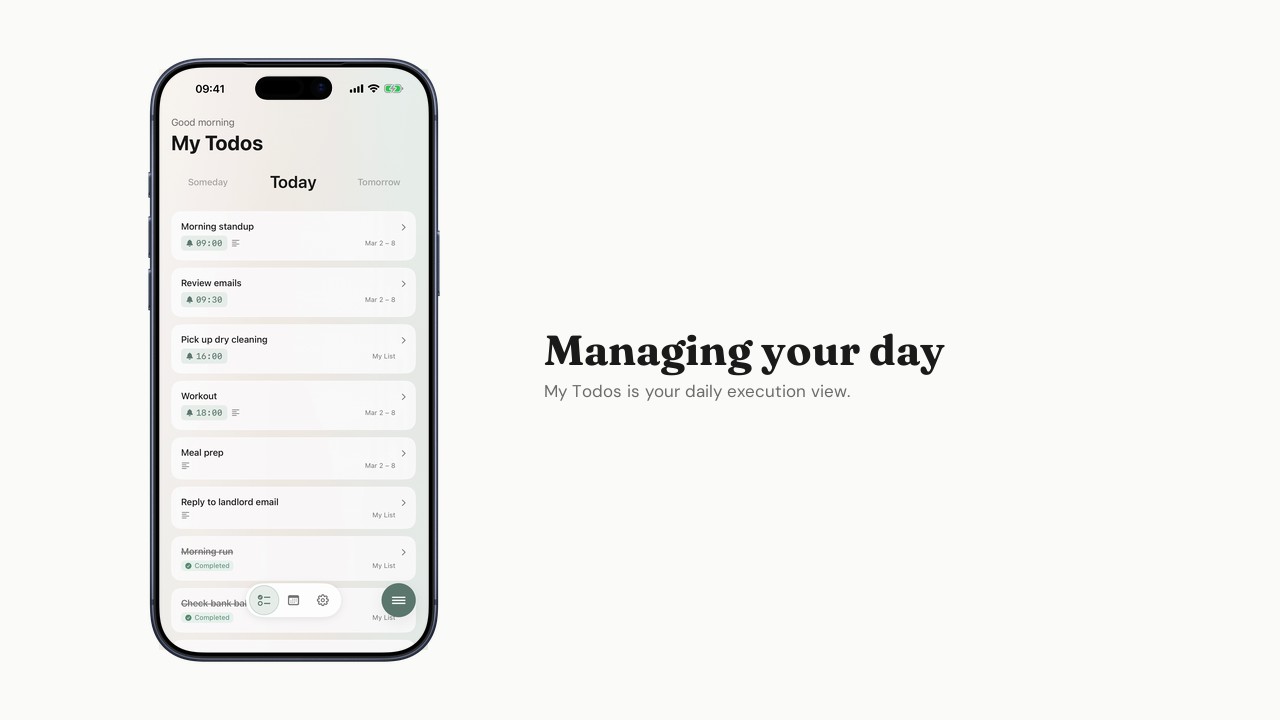
Managing your day
How to use My Todos for focused daily execution.
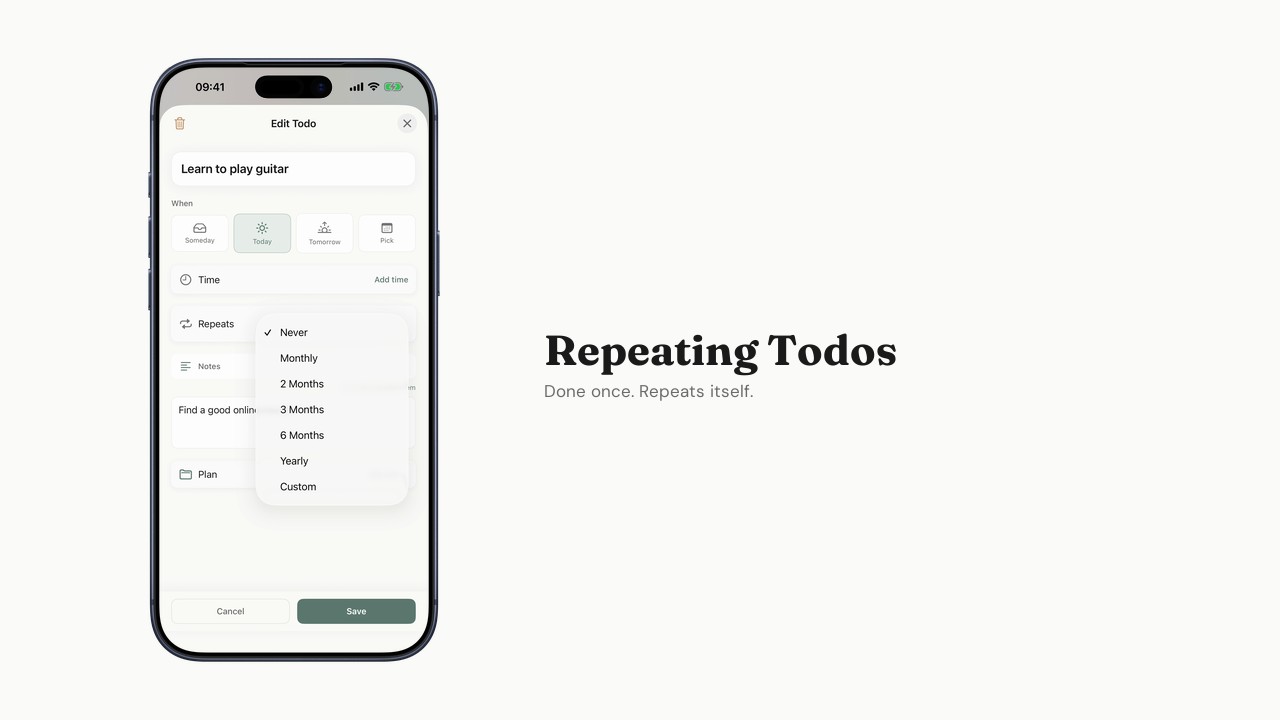
Using Repeating Todos
Set up monthly, yearly, or custom recurring tasks.
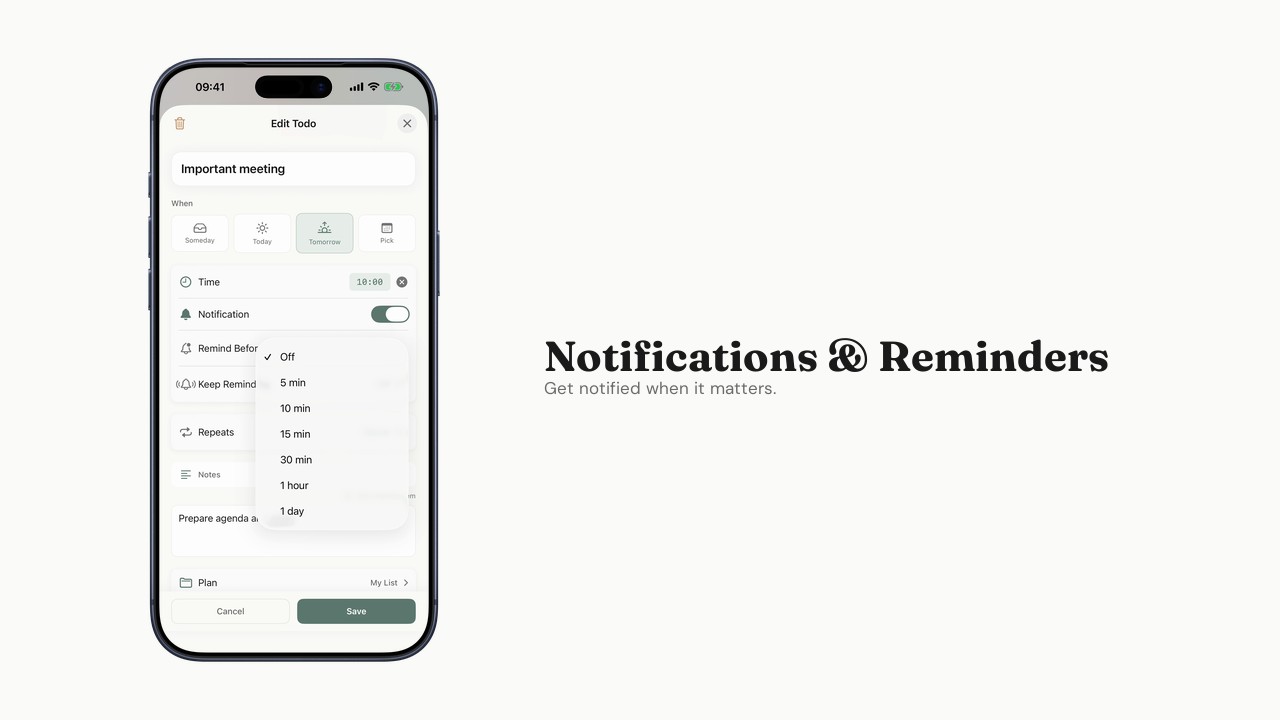
Notifications and reminders
Configure alerts, advance reminders, and persistent reminders.
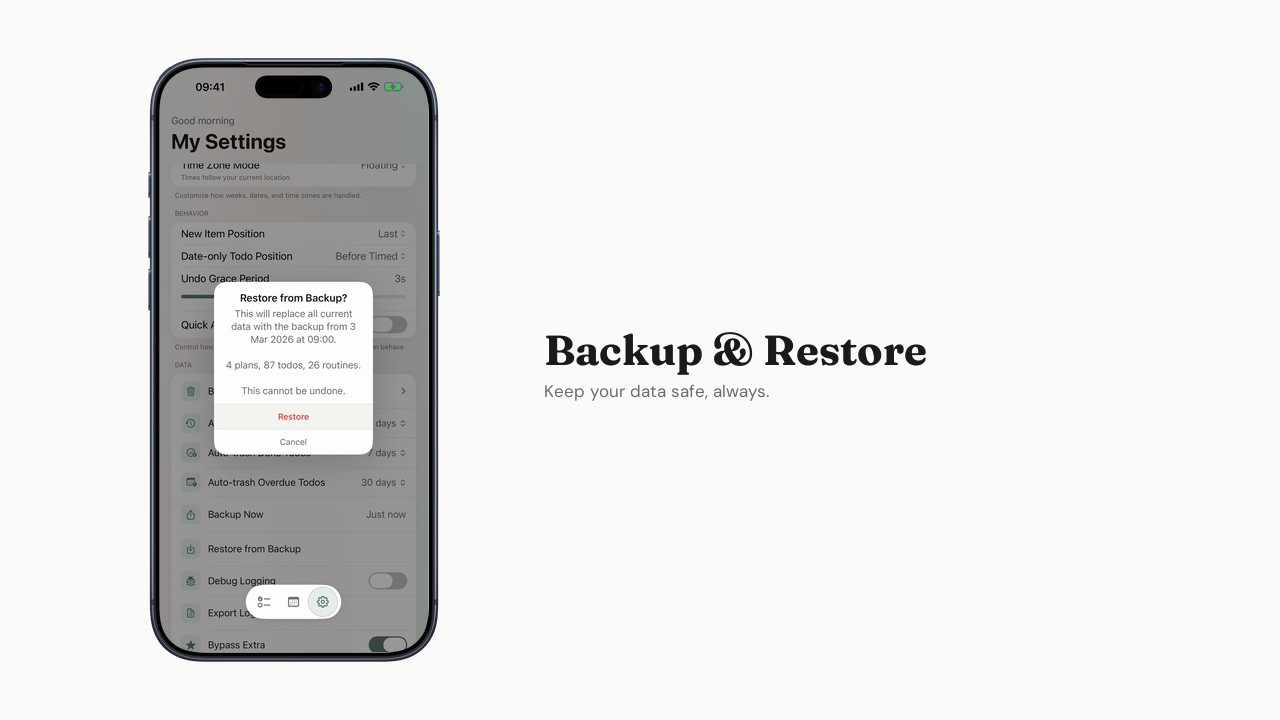
Backup and restore
Export your data and restore from a backup.
Generous free tier
Everything you need to plan your week is free. Extra unlocks more when you're ready.
Free
$0
Forever. No trial, no catch.
- My List + up to 2 custom Plans
- Up to 2 auto-generated weeks
- Up to 5 Repeating Todos
- Weekly Routine
- Time-based notifications
- Up to 3 active alarm days — from version 1.3.0
- Backup/restore
- Full offline support
Extra
$1.99/month
When you need more room.
- Everything in Free, plus:
- Unlimited Plans
- Up to 4 auto-generated weeks
- Unlimited Repeating Todos
- Unlimited active alarm days — from version 1.3.0
- Advance Reminder
- Persistent Reminder
- Planning View