My Next: List
Collections without clutter.
A calm, personal list app for collecting and organizing the things in your life — without clutter or pressure. Grocery lists, reading lists, gift ideas, and more.
Available in 20 languages. Need help? Contact [email protected]
Designed for how you actually live
Not another productivity tool. My Next: List gives you a calm place to collect and organize the things that matter to you.
Collect anything
Groceries, books, gift ideas, packing lists — whatever matters to you. Templates help you get started quickly with pre-configured list types.
Structured when you need it
Grocery lists get quantity and unit fields. Other lists stay simple. Each list adapts to its purpose without extra configuration.
Done your way
Check off items as you go. Keep them visible, move them to a Done section, or let them disappear — your choice, per list.
Private by default
No account or email address required — just download and start. Your lists are stored locally on your iPhone and paired Apple Watch. No ads, no advertising tracking. Optional usage analytics never include list names or item text, and you can turn them off completely in Settings. Works offline, everywhere.
See it in action
Clean, calm, and focused on your content.
My Lists
Browse your lists in gallery or list view.
Items
Add, check off, and organize items with gestures.
Grocery mode
Quantity and unit fields for structured shopping.
Apple Watch
Your shopping list. On your wrist.
Keep your phone in your pocket. Scroll your list with the Digital Crown, check off what you've picked up, and add items with dictation where available. Switch between lists, change the sort order, or swipe left to delete an item.
List on Apple Watch uses the same list settings as your iPhone. Changes made offline sync when your devices reconnect.
Everything you need, nothing you don't
Powerful enough for structured lists, simple enough for quick notes.
Lists
- Create, edit, duplicate, pin, and delete lists
- List templates: Grocery, Packing, Books, Movies, Gifts
- Per-list settings: done behavior, text size, screen awake
- Side menu with gallery view and search
Items
- Add, edit, reorder items with gestures
- Swipe to complete or delete
- Quantity and unit fields for grocery lists
- Duplicate item detection
Organization
- Sort by date added, date created, or alphabetical
- Search across all lists and items
- Export to plain text, CSV, or PDF
- Gallery and list view in side menu
Data & Privacy
- No account or email required — just install and go
- Works offline — no internet needed
- Lists and items stored locally on your iPhone and paired Apple Watch
- Backup and restore to JSON
- No ads, no advertising tracking
- Optional usage analytics without list names or item text — off with one switch in Settings
- Extra subscriptions handled by RevenueCat under a random customer ID — Apple processes payments
- Soft delete with recovery from Bin
- Available in 20 languages
- Light and dark mode
User guide
Step-by-step walkthroughs for the most common workflows.
Getting started on Apple Watch
Open List on your iPhone to set up the first sync, then open List on your Apple Watch. Choose a list and scroll with the Digital Crown. Tap an item to check it off or restore it.
Use the menu in the lower-right corner to add an item or change the sort order. Apple's dictation is available in the text field when supported. Swipe left on an item, then tap Delete to remove it; there is no second confirmation screen. If Undo is enabled in your iPhone settings, tap the pending item to restore it before the configured grace period ends.
Your Apple Watch uses the same list settings as your iPhone, including how completed items are handled. You can keep using your list offline; changes sync when your devices reconnect.
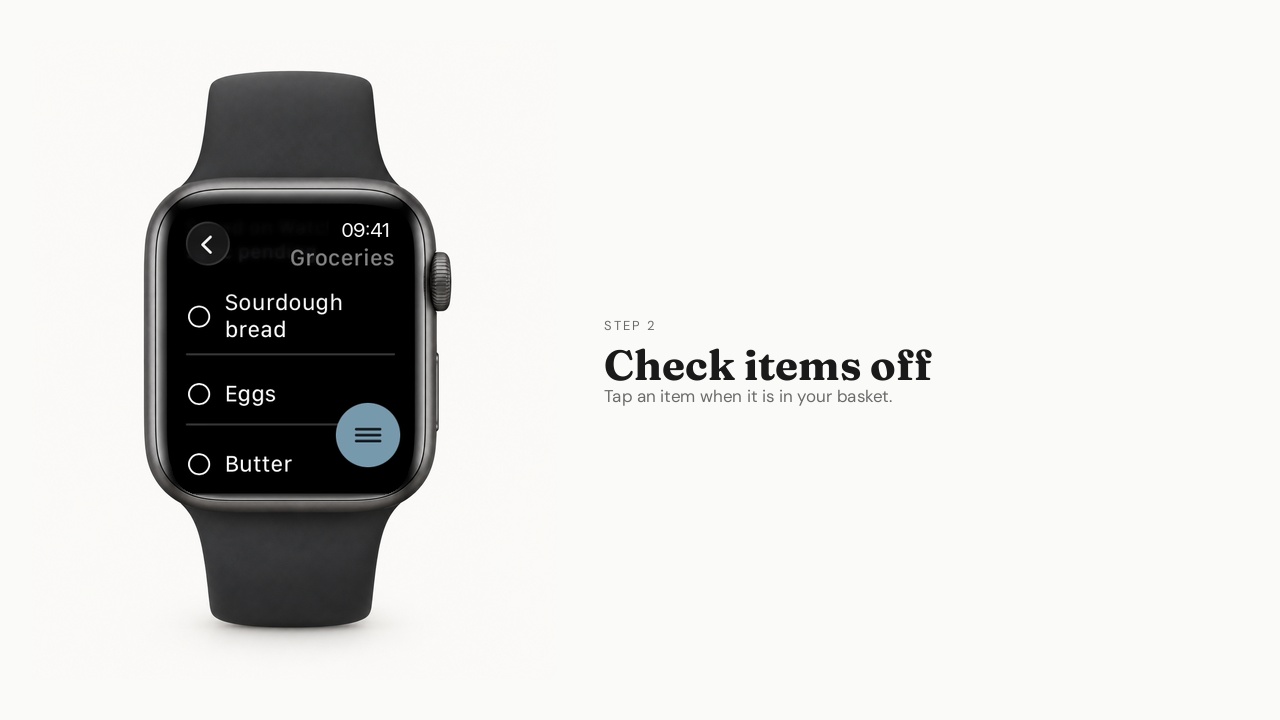
Using List on Apple Watch
Browse your lists, check off items, and add things on your wrist.
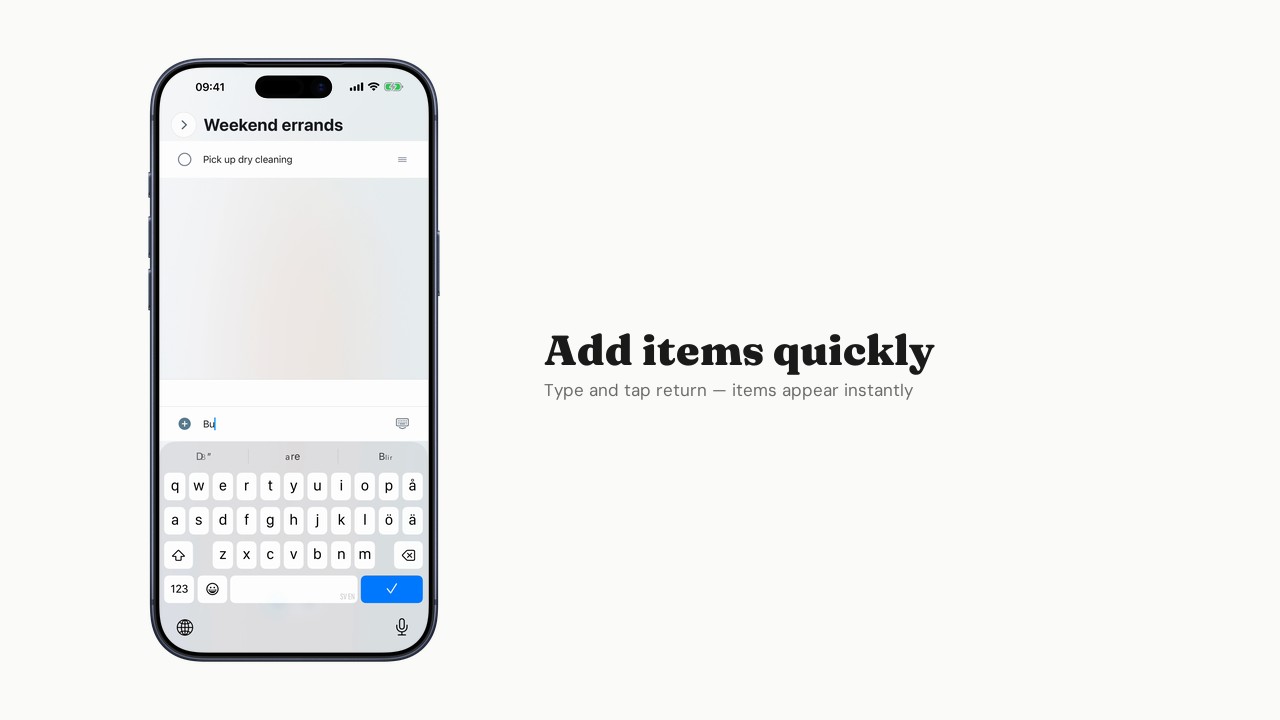
Getting started with List
Create your first list and add items.
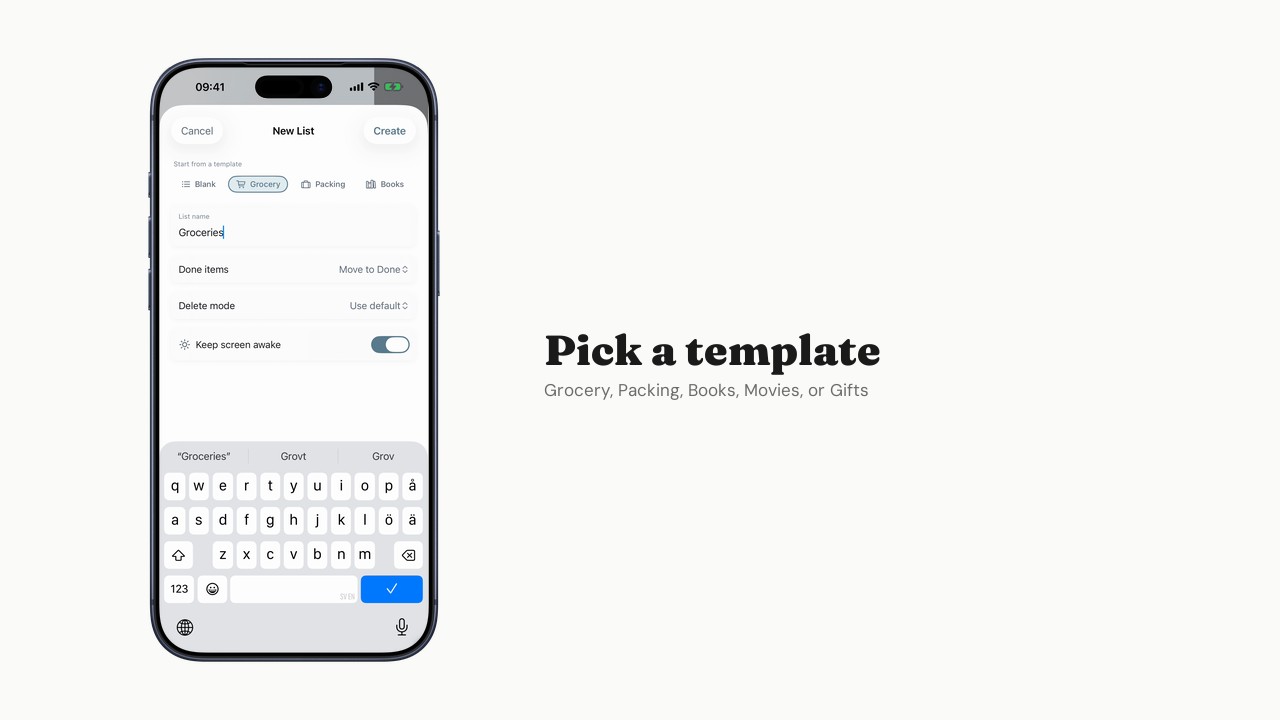
Using templates
Start from a grocery, packing, or other pre-configured template.
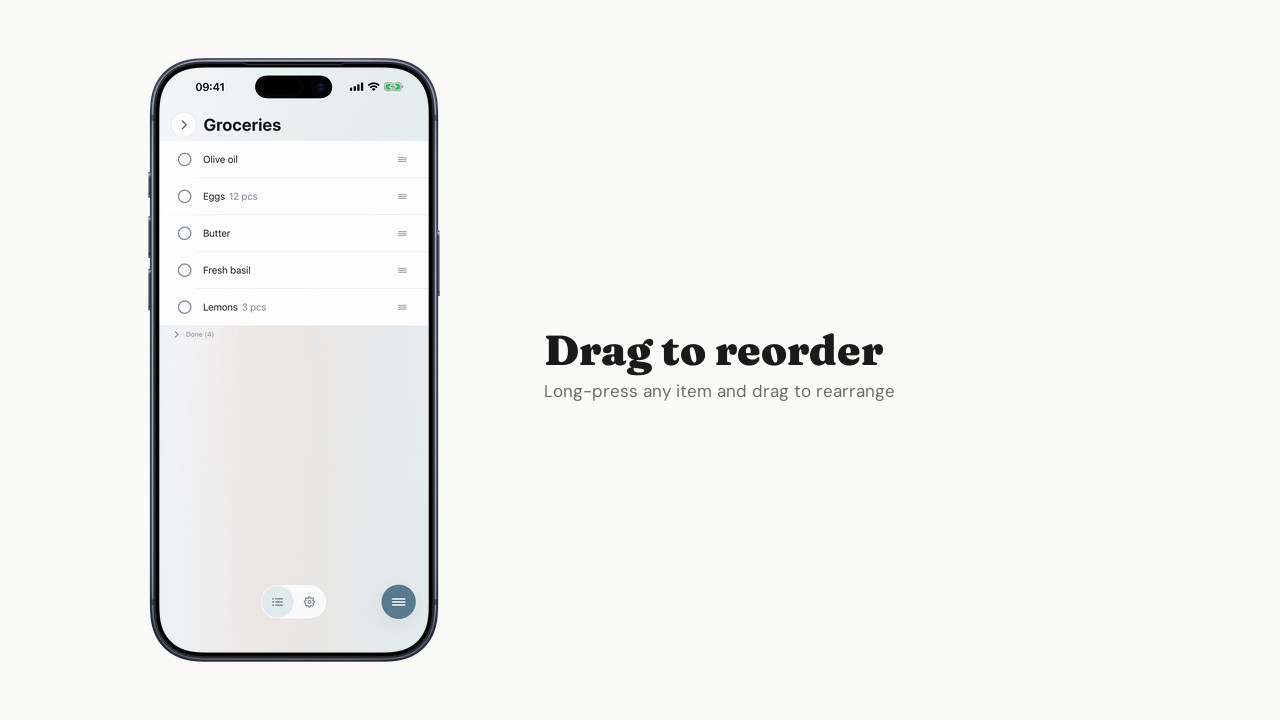
Organizing items
Reorder, check off, and manage done items your way.
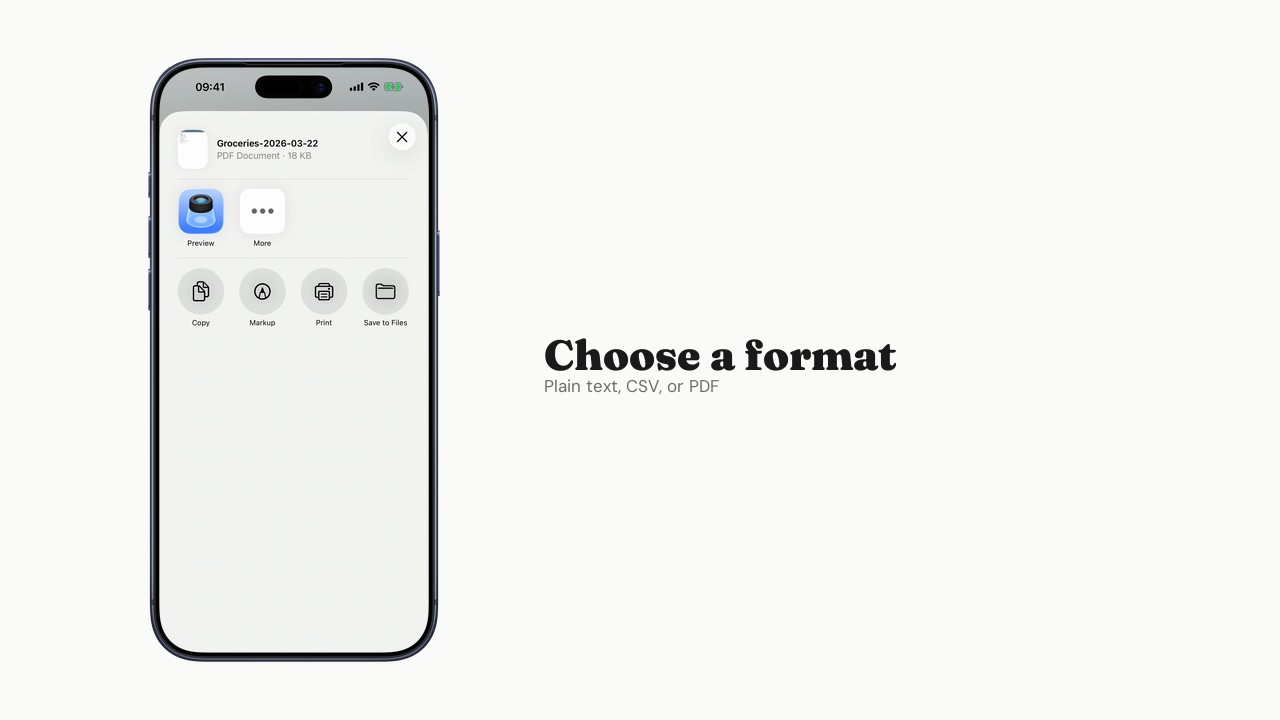
Exporting lists
Export lists to plain text, CSV, or PDF.
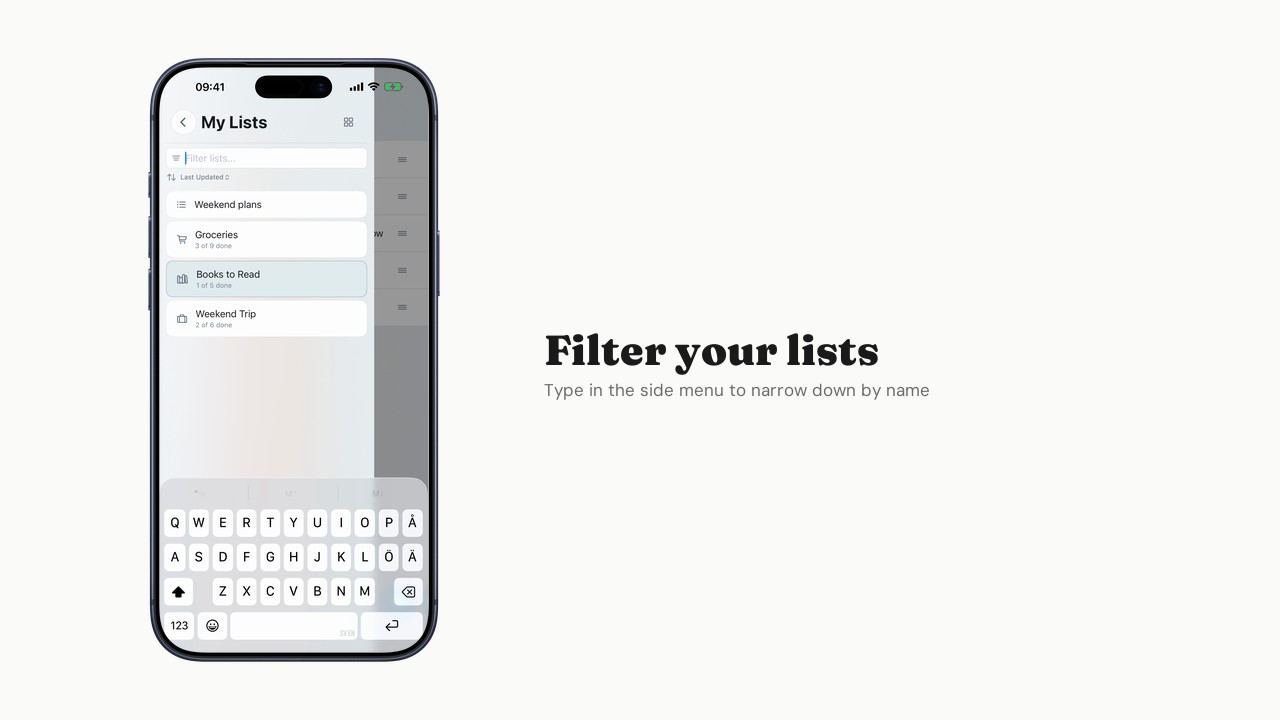
Searching across lists
Find items and lists quickly with search.
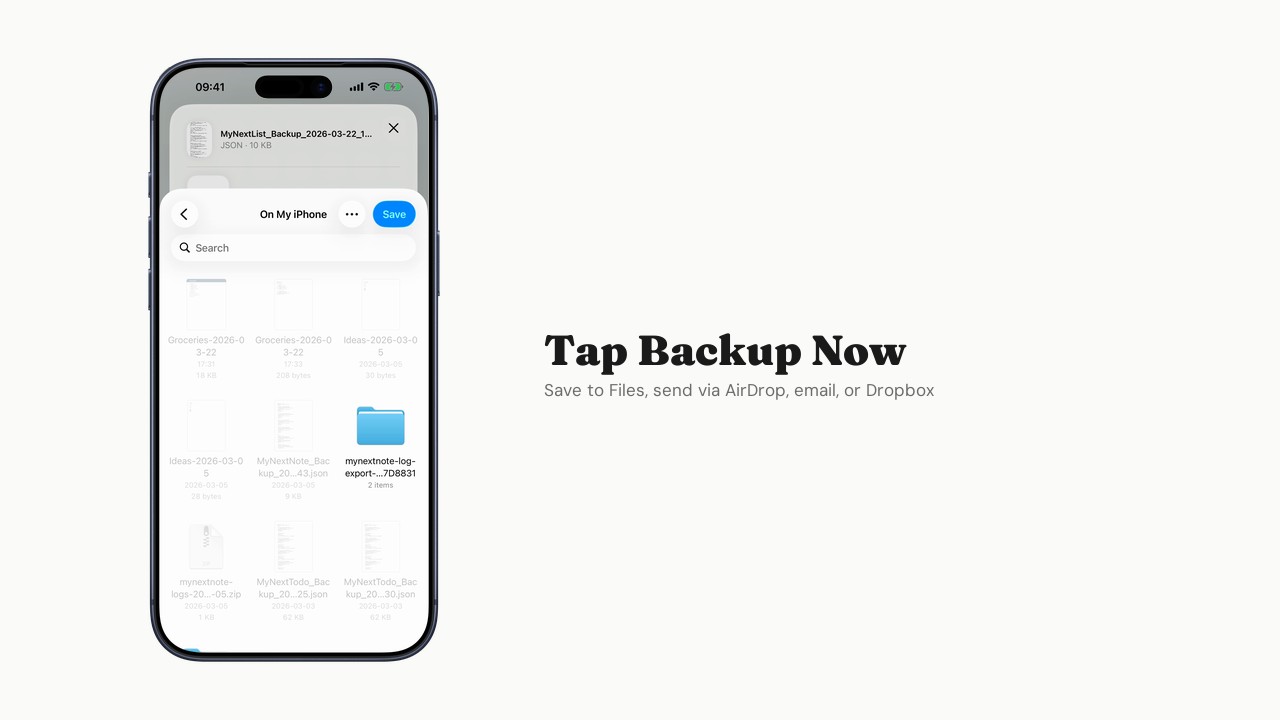
Backup and restore
Back up your data and restore from a backup.
Generous free tier
Everything you need to collect and organize is free. Extra unlocks more when you're ready.
Free
$0
Forever. No trial, no catch.
- Up to 5 lists
- Up to 100 items per list
- Backup/restore
- Full offline support
- Export to text, CSV, PDF
Extra
$1.99/month
When you need more room.
- Everything in Free, plus:
- Unlimited lists
- Unlimited items per list
- List templates