
Run Studio
IN PROGRESSBuild the product. Reach people. Keep the studio running.
Build → Launch → Run
Build Studio helps you make the product. Launch Studio helps you reach people through planning and content. Run Studio is the third part: keeping the business behind those products in view.
The three apps are designed to work together, and each works independently. Run Studio starts with Finance: understand what the studio costs, where spending belongs, and which decisions need your attention.
A foundation, with the work ahead in view
The local macOS app and its product registry exist today. Products can be entered manually or imported from a registry after review. Financial evidence processing, subscription tracking, and accounting handoffs are still in development.
The images below are design previews from the current design system, with fictional example data. They show the intended experience, including features that have not yet been implemented.
Screenshots
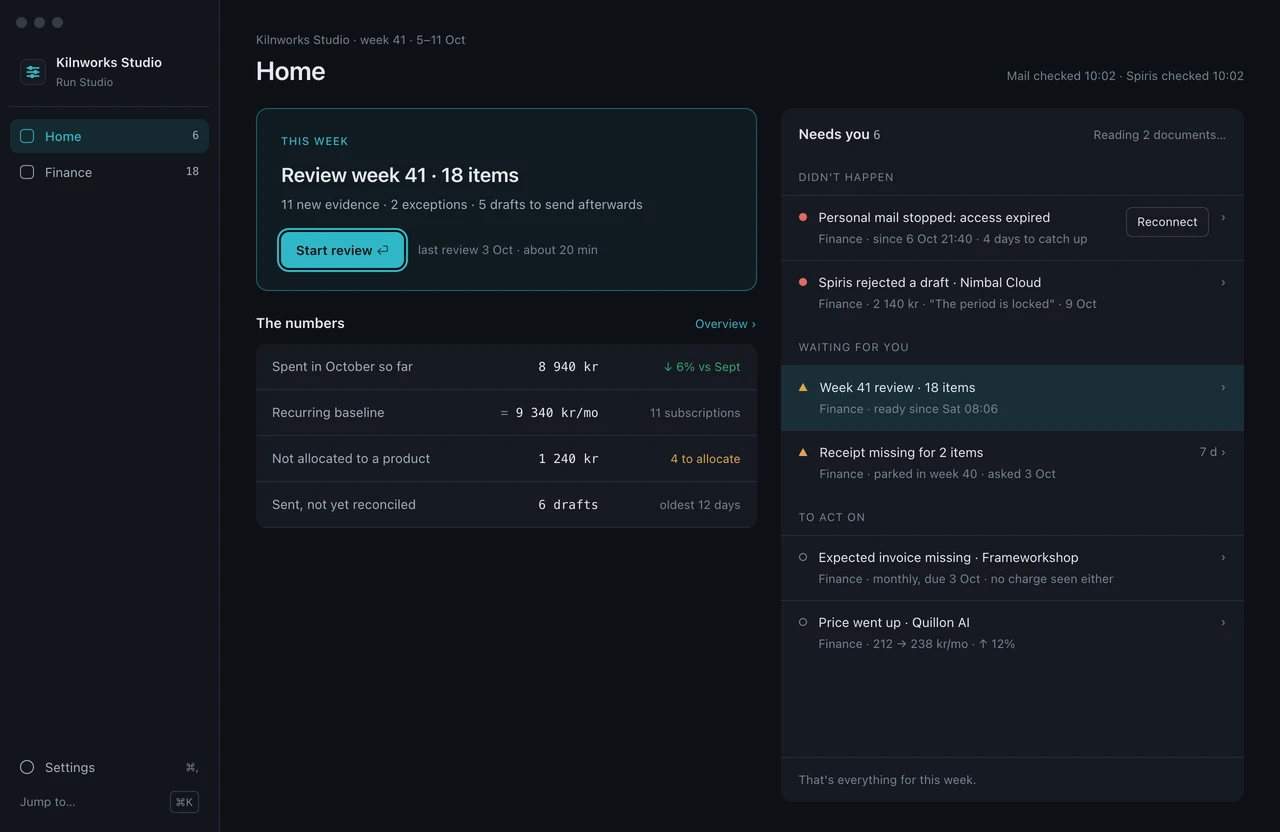
Design preview — Home brings the weekly work and decisions into one control room. This is the intended design, not a screenshot of the current app. 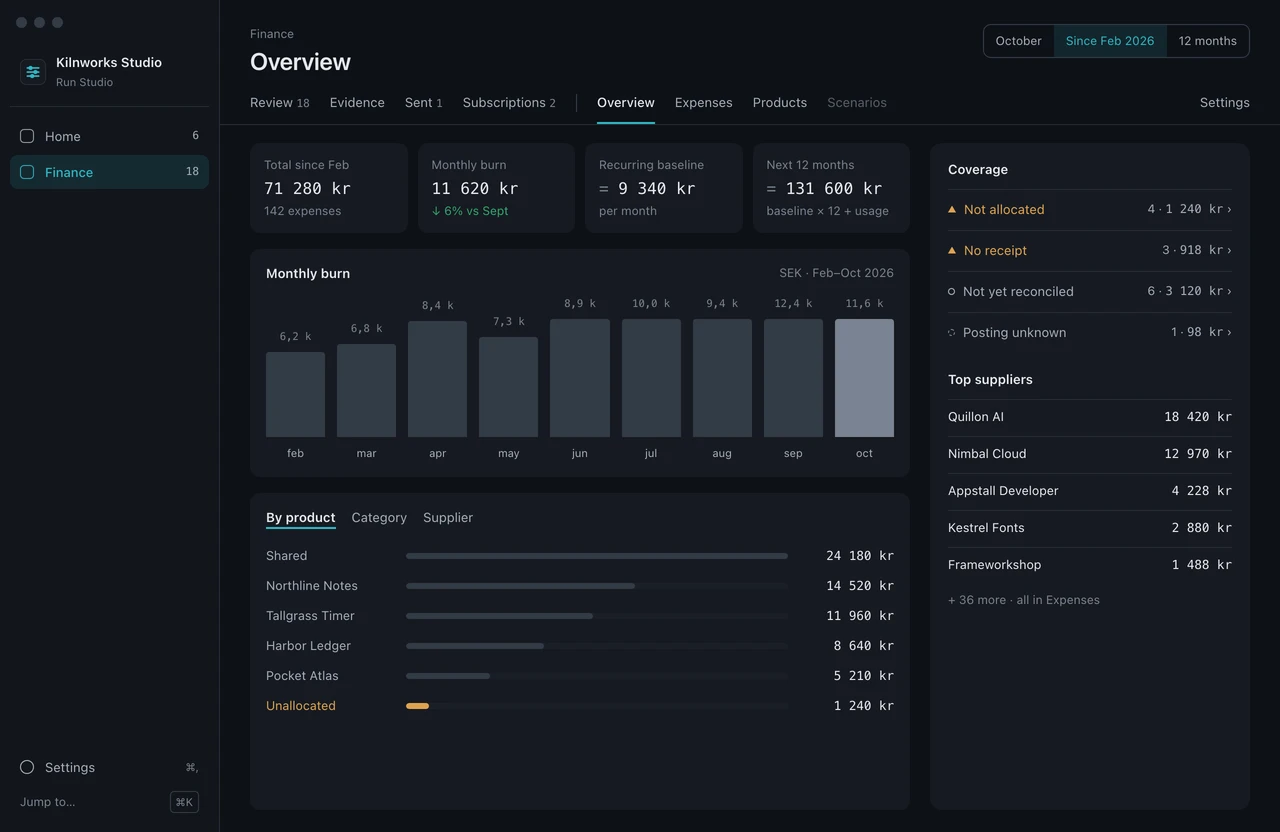
Design preview — Finance connects costs to products and keeps unallocated spending visible. 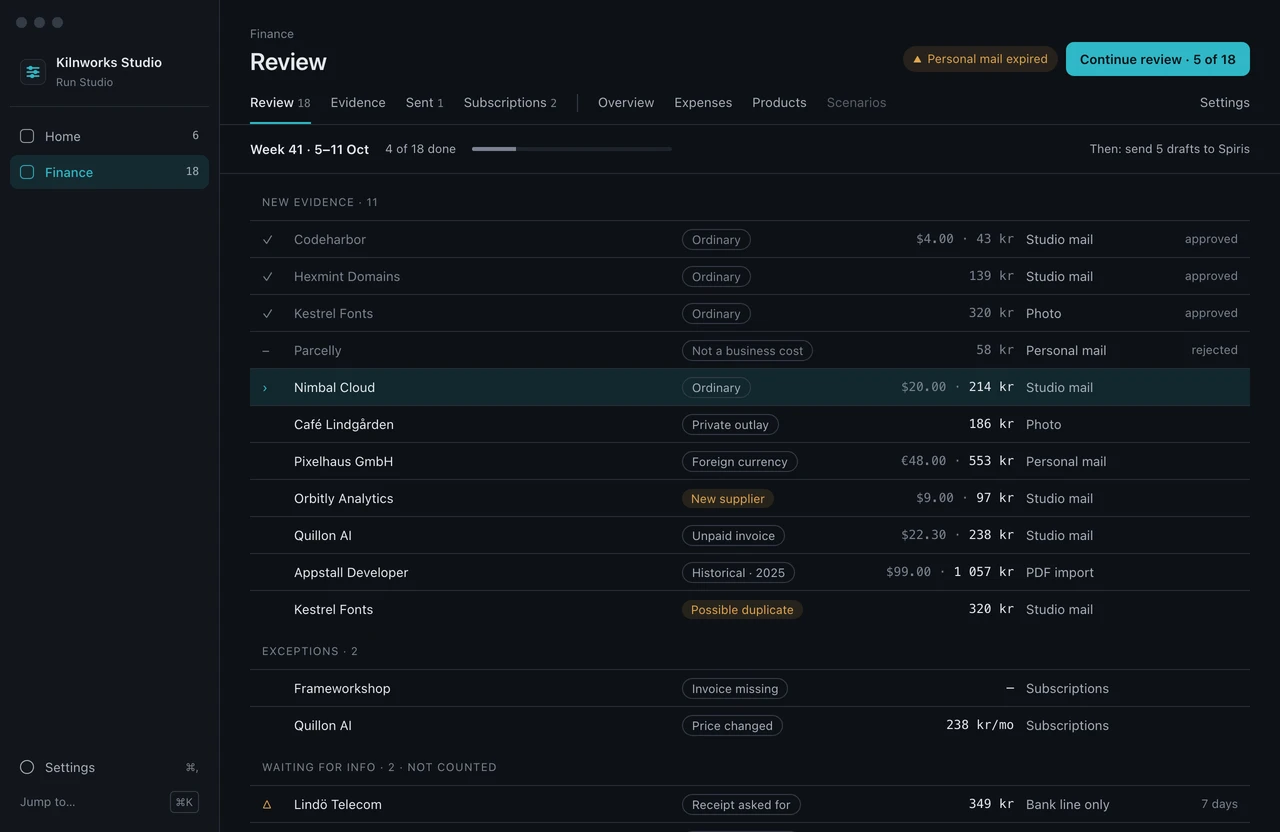
Design preview — review evidence before an accounting handoff. Financial workflows are still being built.
What it does
Start with the products
Keep a local product registry, with manual entry and reviewed imports. This foundation already exists.
Understand the running costs
Finance is the first module. Receipt evidence, product cost allocation, and subscription exceptions are the next steps.
Keep decisions with the owner
The planned workflow keeps evidence review and approval explicit before handing drafts to accounting. Run Studio is not a replacement for the accounting system.
Where we are
Done
- Local macOS app foundation and local data storage.
- Product records and reviewed registry imports.
Next
- Rebuild the app around the new control-room design.
- Import and review receipts and invoices.
- Allocate costs to products and track subscription exceptions.
- Human-reviewed accounting drafts and reconciliation.