
Launch Studio
IN PROGRESSYou built the product. Now give it a launch plan — and a reason to keep showing up.
From building to reaching people
Build Studio helps solo developers build the product, from a small PRD through implementation and release. Launch Studio is the next step: a place to organise the launch, blog and content work, SEO, marketing, and video around that product.
Launch Studio is early in development. We use the current macOS app with our own products while building towards a wider release. It works on its own and does not require Build Studio. The content workflow and weekly overview exist today; the broader marketing tools below are still planned.
Start with the week
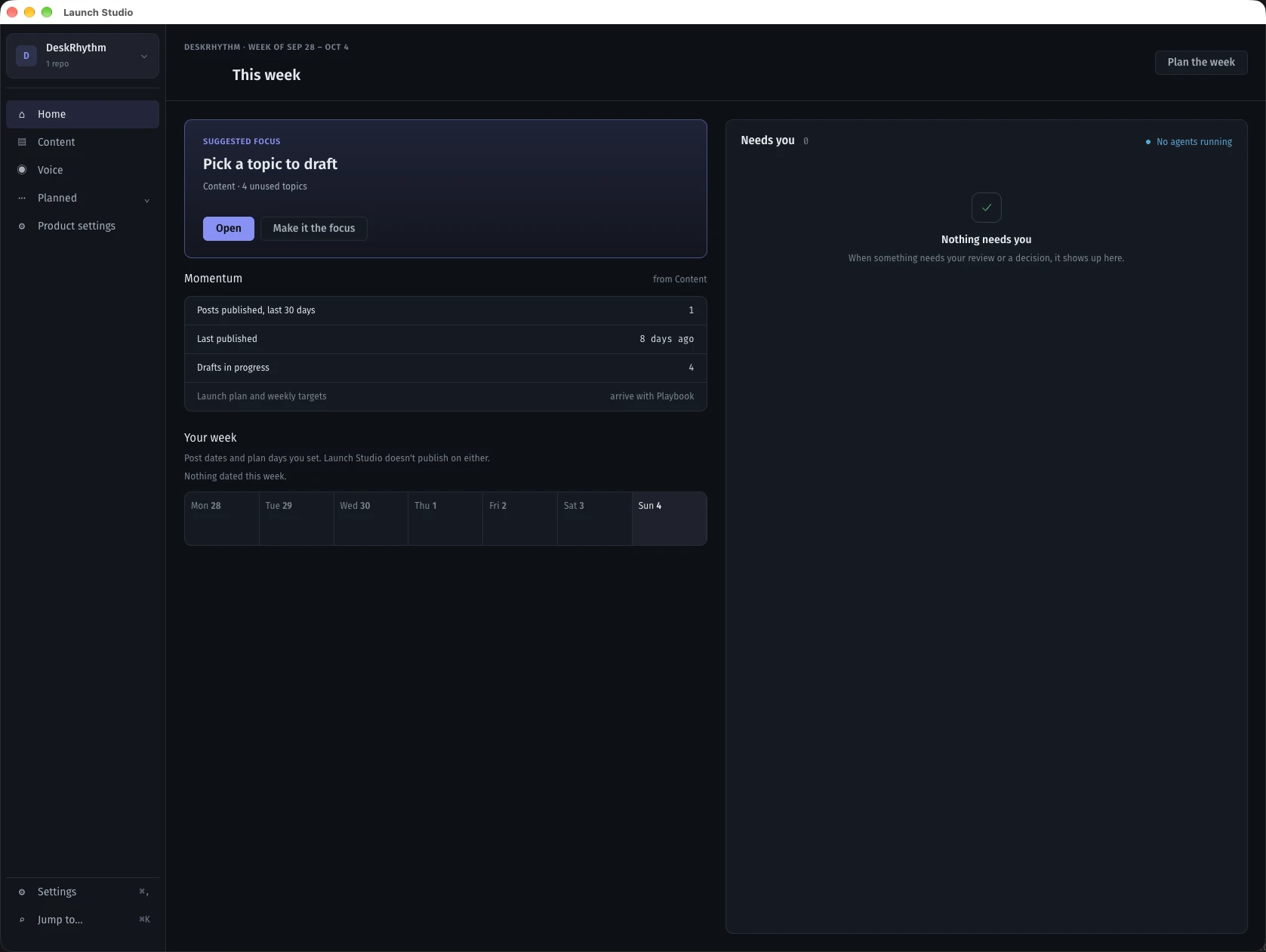
Home brings the work into focus: what needs your attention, what is moving, and what to do in the coming week. Look across all your products or focus on one. Choose a weekly focus and plan the work on a simple week strip.
Today, that overview draws on Content: topic suggestions, drafts in progress, and published posts. More sources will join as the other modules are built. A date on the week strip is a plan, not an automatic publication.
Screenshots
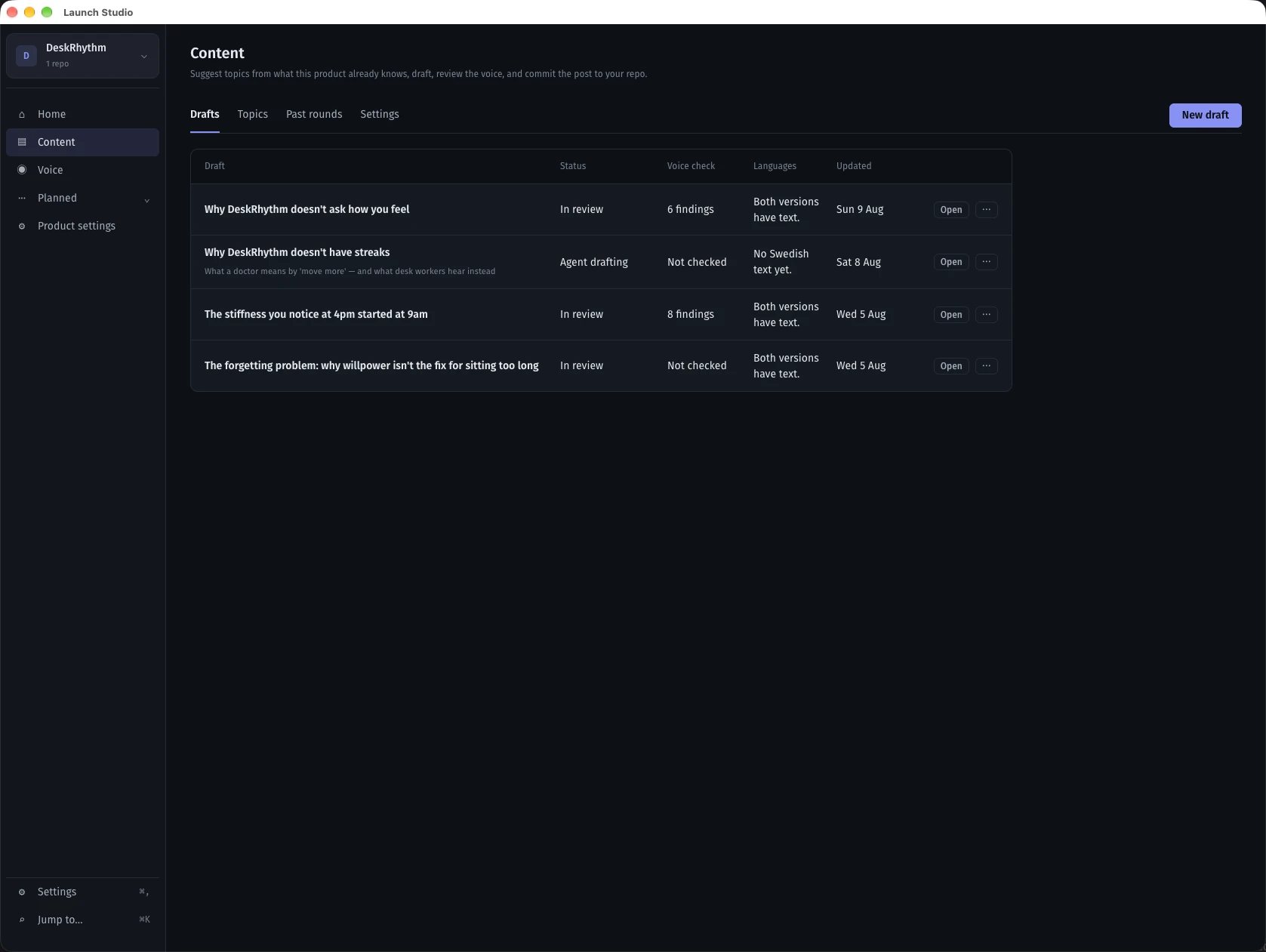
Content — from product-informed topics to drafts, voice review, and an approved commit to the product repository. 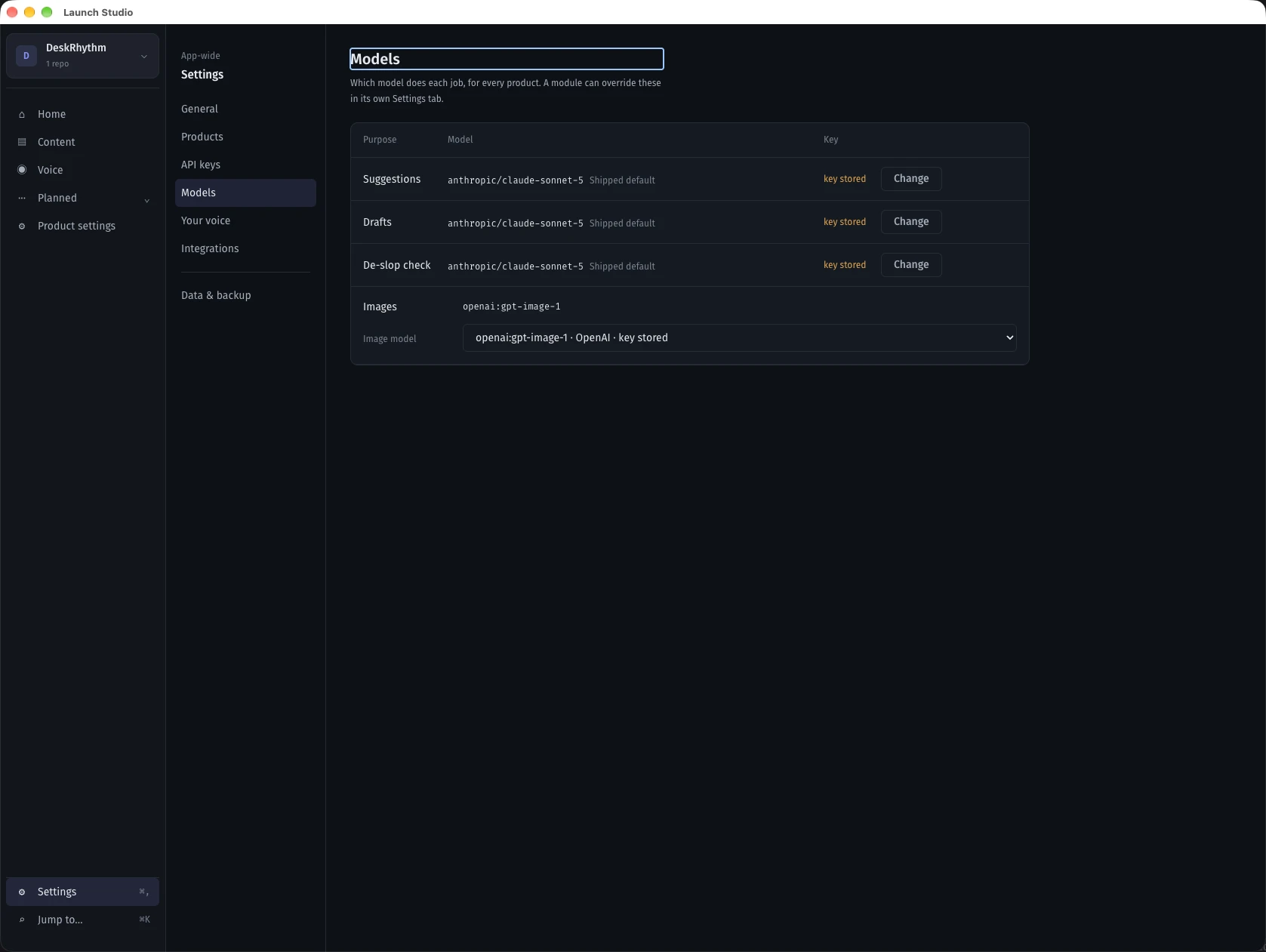
Models — choose which model handles suggestions, drafting, voice review, and images. Product modules can override the app defaults.
What it does
A focused weekly overview
Home keeps your weekly focus, planned work, and decisions together, across all products or a single product.
Content that starts with the product
Suggest topics from product knowledge, write drafts, review the tone against the product voice, then approve a commit to its repository.
Your models, your review
Choose models for different jobs. Review the text and approve the repository handoff yourself.
Where we are
Done
- Home: weekly focus, attention feed, and week planning.
- Content: topic suggestions, drafts, voice review, and approved repo publishing.
- Product knowledge, voice profiles, and model settings.
Next
- Launch playbooks and a broader weekly marketing plan.
- Social integrations: Reddit, Facebook, X, and more channels.
- SEO and search visibility tools, alongside blog and content work.
- Email triage: receive support emails and connect them to support handling in Build Studio.
- Video creation as part of Launch Studio.
Build Studio + Launch Studio
See how the studios connect
The video focuses on Build Studio, then shows how Build Studio and Launch Studio fit together near the end.
Watch on YouTube ↗(opens in a new tab)