
Build Studio
LIVEOpen-source mission control for building software with specialised AI agents — from PRD to release.
What Build Studio is
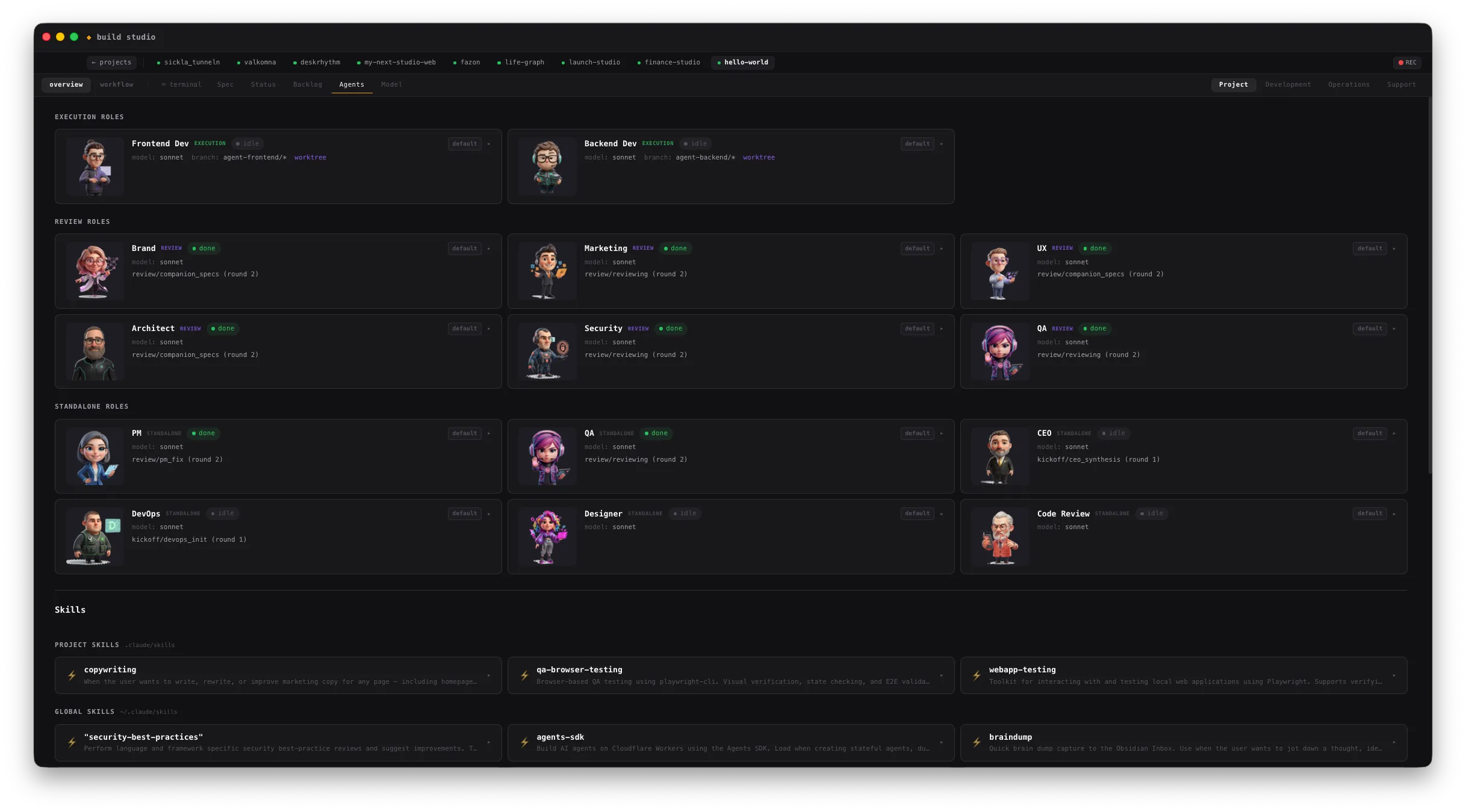
Build Studio is the tool that builds every product in this studio. It is mission control for a set of specialised AI agents that move a product through small PRDs, review, implementation, QA, security checks, and the human approval gates in between. The dashboard is part of it, but the useful part is the system around it: the workflows, the role definitions, project scaffolding, isolated worktrees, and a record of why every change exists.
It began as an internal tool called Agent Dashboard and is now open source under Apache 2.0 — something other people can run, inspect, change, and argue with. The public release includes the multi-project hub, onboarding for new and existing projects, the review and execution workflows, the bundled agent roles, a CLI, and the macOS app. It expects Node, tmux, git, and an agent CLI — Claude Code, Codex, or OpenCode.
Build → Launch → Run
Build Studio makes the product, Launch Studio helps it reach people, and Run Studio keeps the business behind it in view, starting with finances. All three are designed to work together and each works independently. Launch Studio and Run Studio are still in development.
Screenshots
What it does
Specialised agents, defined roles
A set of specialised AI agents with defined roles moves each product through small PRDs, review, implementation, QA, and security checks — with human approval gates in between.
Open source, Apache 2.0
Build Studio started as an internal tool and is now open source under Apache 2.0. Run it, inspect it, change it, or open an issue — the repository is public on GitHub.
More than a dashboard
The useful part is the system around the run: a multi-project hub, onboarding for new and existing projects, the review and execution workflows, isolated worktrees, and a record of why every change exists.