
My Next
LIVENative iOS productivity apps — Todo, List, Note (Android planned).
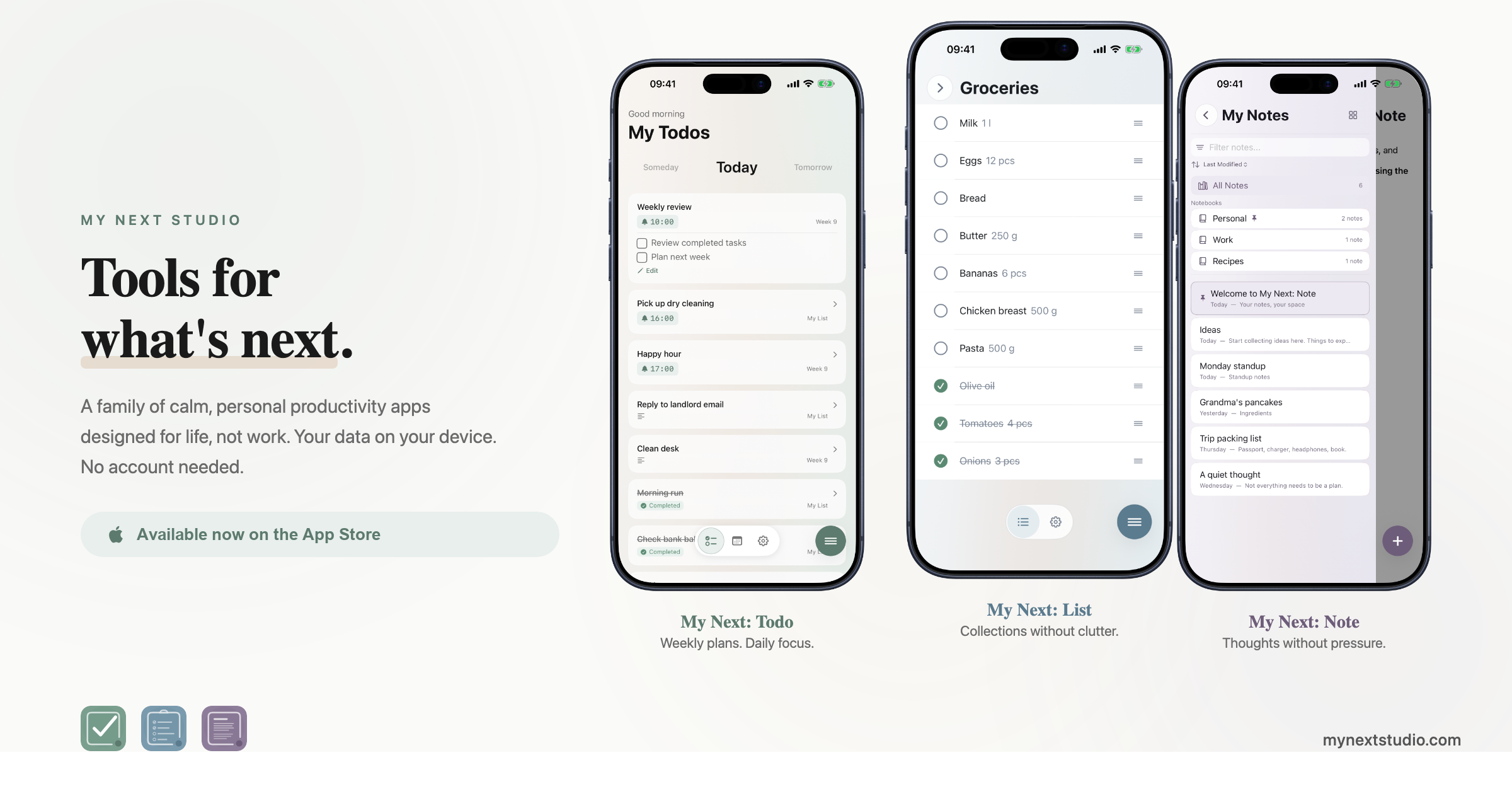
Small tools for what comes next
My Next is a family of focused native iOS apps for life, not work — Todo for daily plans and routines, List for the practical lists you actually reuse, and Note for lightweight writing and capture. Each app does one thing well and stays out of the way; together they cover the weekly arc of planning, doing, and remembering without ever forcing one giant catch-all surface.
The apps share the same calm My Next design language — generous whitespace, soft surfaces, gentle accents per app — but stay deliberately separate so a grocery list never crowds out a routine and a stray note never breaks the morning plan. The family is gradually moving from the older My Next Studio branding to My Next; My Next Studio remains the studio behind the apps.
What it does

Todo — plan the day
Daily plans, weekly routines, due dates, missed-item recovery, and an Upcoming view for dated todos you want to see before they're due. Routines repeat without nagging; missed items resurface so the day rebuilds itself instead of evaporating.

List — reusable lists
Keep practical lists close — groceries, packing, the recurring pharmacy run, the reading shortlist. Reuse them week to week, bring completed items back when they're needed again, and search across lists when you can't remember which one you put it on.

Note — fast writing
Capture a thought, draft a longer paragraph, organise notes by notebook, and export when the writing needs to leave the app. The editor is intentionally minimal — no toolbars to hunt through, no formatting choices to make before the words land.
Native iOS, on-device, private by design
Each app is a real native iOS app — SwiftUI, native widgets, native share-sheet integration, native dark mode. Your personal content lives on the device unless you explicitly export or back it up. No account is required; no todo, list, or note content is ever sent to the studio. Two limited things do leave the device. One is an anonymous app-opening event — which app, cold or warm launch, locale, timestamp, and a random anonymous id — sent to OpenPanel so the studio can see whether the apps are used at all; that switches off in Settings. The other is subscription data for My Next: Extra, handled by RevenueCat under a randomly generated customer ID, which is what unlocks Extra and shares it across the three apps; Apple processes the payments, so no card details reach the studio or RevenueCat, and it runs whether or not you subscribe. No ads, no advertising tracking, nothing sold on. Android comes after the iOS family settles.
Cross-app linking — one workflow, three apps
Each app is small on purpose, but they know about each other. A Todo for "Weekly shopping" can deep-link to the Groceries list in List; a Todo for "Write the editorial brief" can open a specific notebook in Note. The link is just an iOS URL — no shared database, no merged inbox, no cross-app sync to argue with — so each app stays focused while the workflow stays whole.
Where we are
Done
- Todo, List, and Note are live on iOS.
- The My Next branding direction is underway.
- The studio site now has a dedicated My Next product page.
Next
- Todo iOS 1.1 adds Show from, so dated todos can appear in Upcoming before they are due.
- List iOS 1.1 focuses on better matching and completed-item behavior.
- Note iOS 1.1 focuses on editing improvements.
- Terms and privacy links will move under the My Next site area during the domain cutover.
Build notes
- Todo 1.1 started Show from: dated todos can appear in Upcoming before their due date.