
DeskRhythm
LIVELocal-first sit / stand / move rhythm coach for healthier workdays.
Why DeskRhythm exists
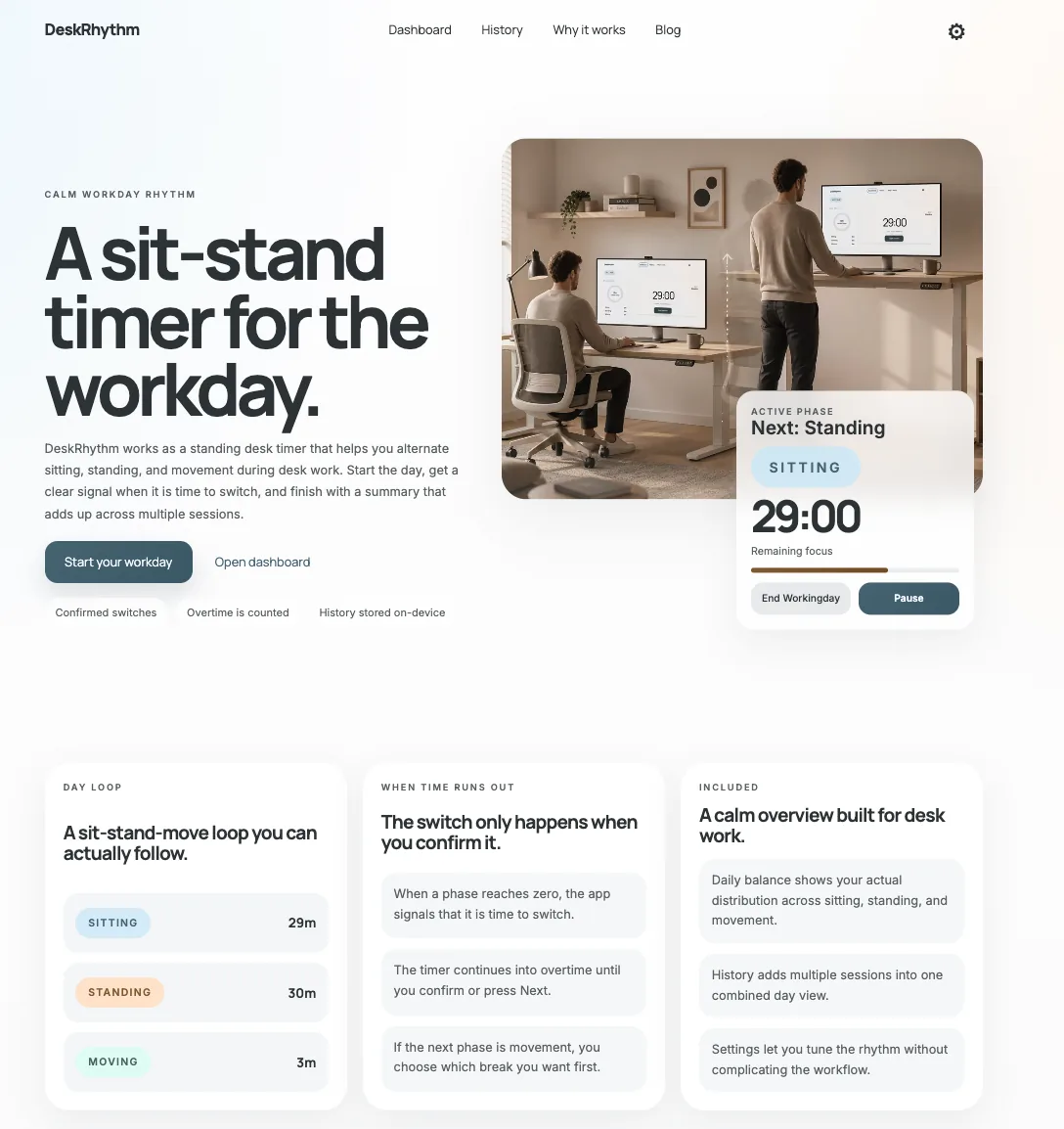
Most desk-coaching apps build on streaks, push notifications, and gamified counters — the productivity-app loop that treats user attention like a budget to be mined. DeskRhythm goes the other way. It cycles you through three rhythm states — sit, stand, move — and asks for nothing else: no account, no streak to protect, no daily guilt. The best position, as the app likes to put it, is simply the next one.
It started as a one-day, local-first web MVP — scaffolded in a single afternoon to test whether a calm-software framing actually changes how someone runs a workday. The answer was “yes” enough to keep going. You can still run DeskRhythm directly in your browser at deskrhythm.com — no installation needed — or use the native iOS app.
Now live on the App Store
The iOS app takes the same rhythm and makes it ambient. When it's time to switch, DeskRhythm shows a live countdown on the Lock Screen and in the Dynamic Island — and sends one quiet notification — even when the app is closed. No streak meter, no badge count climbing in the corner. You glance, you switch, you get back to work.
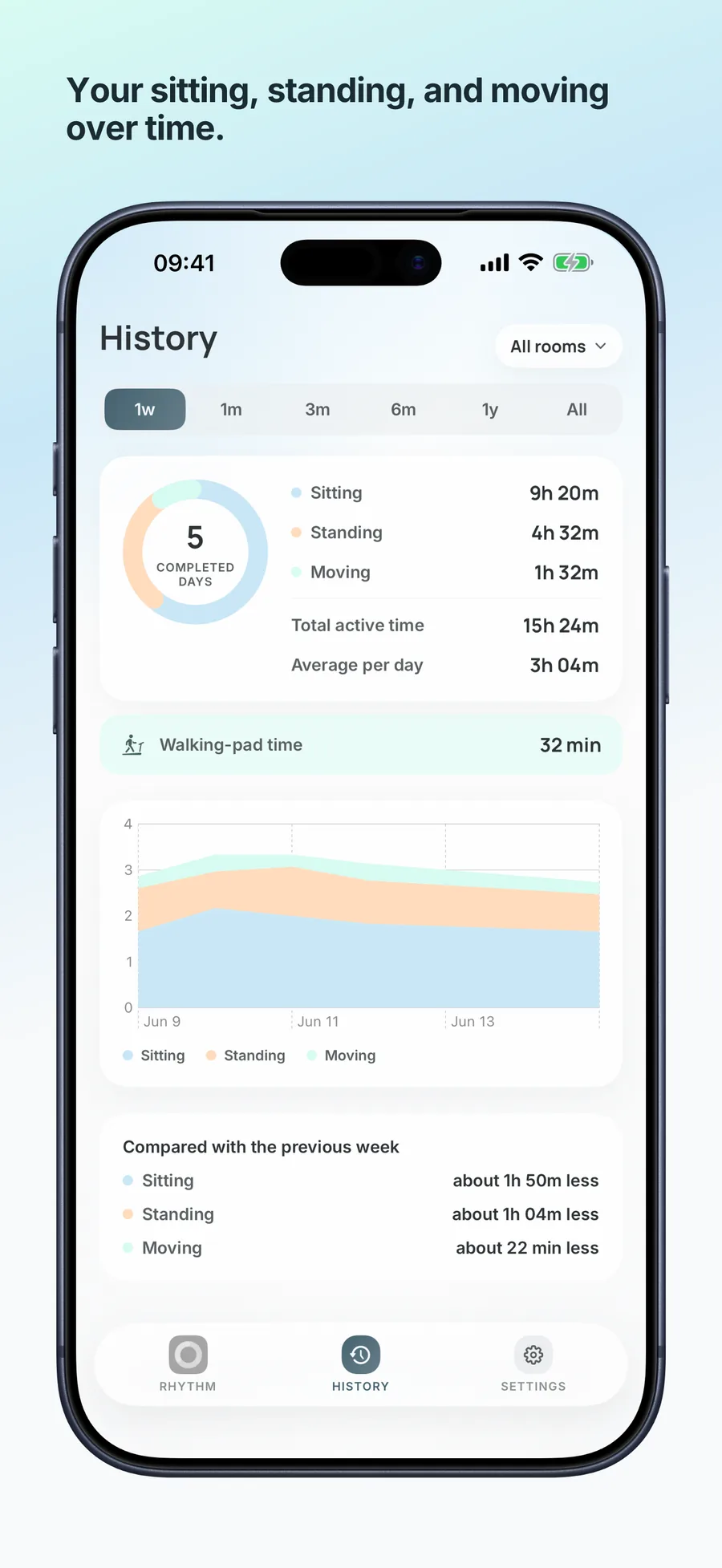
It has also grown into the workday around it. Rooms carry their own cadence and equipment, so your office and your home office can run different rhythms and switch automatically by location. Walking-pad sessions log to Apple Health as a workout with estimated steps. A History tab charts your sit / stand / move balance over days and weeks. And your data stays yours: no account, no tracking, with history syncing privately through your own iCloud — only if you turn it on. English and Swedish throughout.
DeskRhythm for iOS is now available on the App Store. Download it for your sit-stand workday, or run the web app at deskrhythm.com if you prefer to stay in your browser.
Screenshots
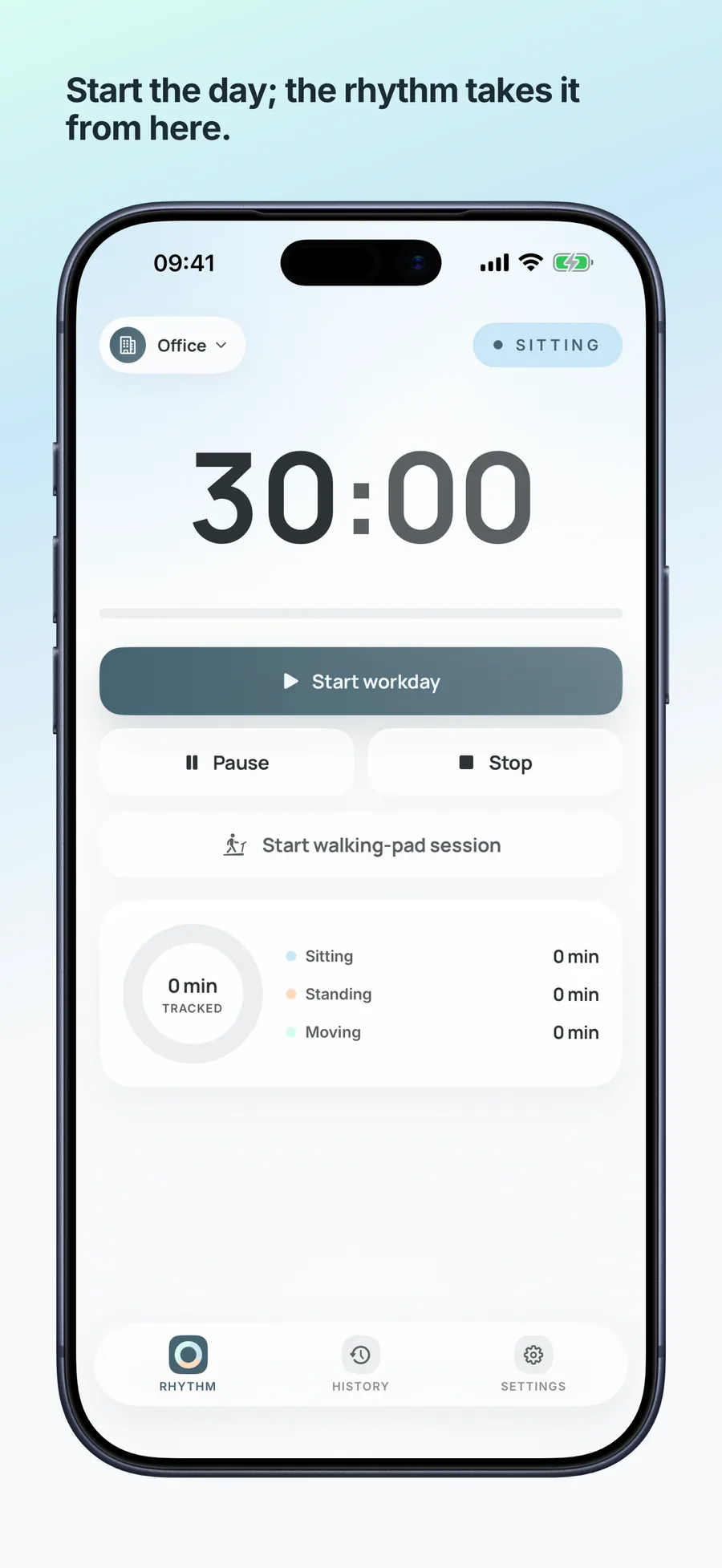
What it does
Calm by design
No streaks, no badges, no engagement loops. One quiet notification when it's time to switch — that's the whole nudge. The visual language is built to recede into the workday rather than interrupt it.
Lock Screen & Dynamic Island
A live countdown to your next switch runs on the Lock Screen and in the Dynamic Island, even when the app is closed. Glance, switch, carry on — you rarely need to open the app at all.
Rooms
Your office and home office can run their own cadence and equipment. DeskRhythm can switch rooms automatically by location, so the rhythm follows where you actually are.
Walking-pad + Apple Health
Start a walking-pad session from the timer and it logs to Apple Health as a workout with estimated steps — movement counts toward your day without a second app.
History & trends
A History tab charts your sit / stand / move balance over days, weeks, and months, with a week-over-week comparison so you can watch the rhythm settle in.
Yours, privately
No account, no ads, no cross-app tracking. History syncs across your Apple devices through your own iCloud — encrypted, never sent to the studio — and only if you switch it on.
Build notes
- DeskRhythm for iOS is now live on the App Store. The web app remains available at deskrhythm.com, and an Android version is in development.
- Native iOS app opened to public TestFlight beta — Lock Screen / Dynamic Island countdowns, Rooms, walking-pad sessions to Apple Health, and private opt-in iCloud sync.
- Started DeskRhythm's native iOS app — first TestFlight build (v0.9): the rhythm timer, an end-of-day summary, History trends in Swift Charts, and a settings editor mirroring the web app.
- Migrated the project's workflow over to Agent Dashboard.
- Built in a day. From googling recommended sit/stand cadences in the morning to a ready site with a custom domain by afternoon.